Document Footer
Add a rich, branded footer to the bottom of every page on your invoices and estimates.
Document Footer
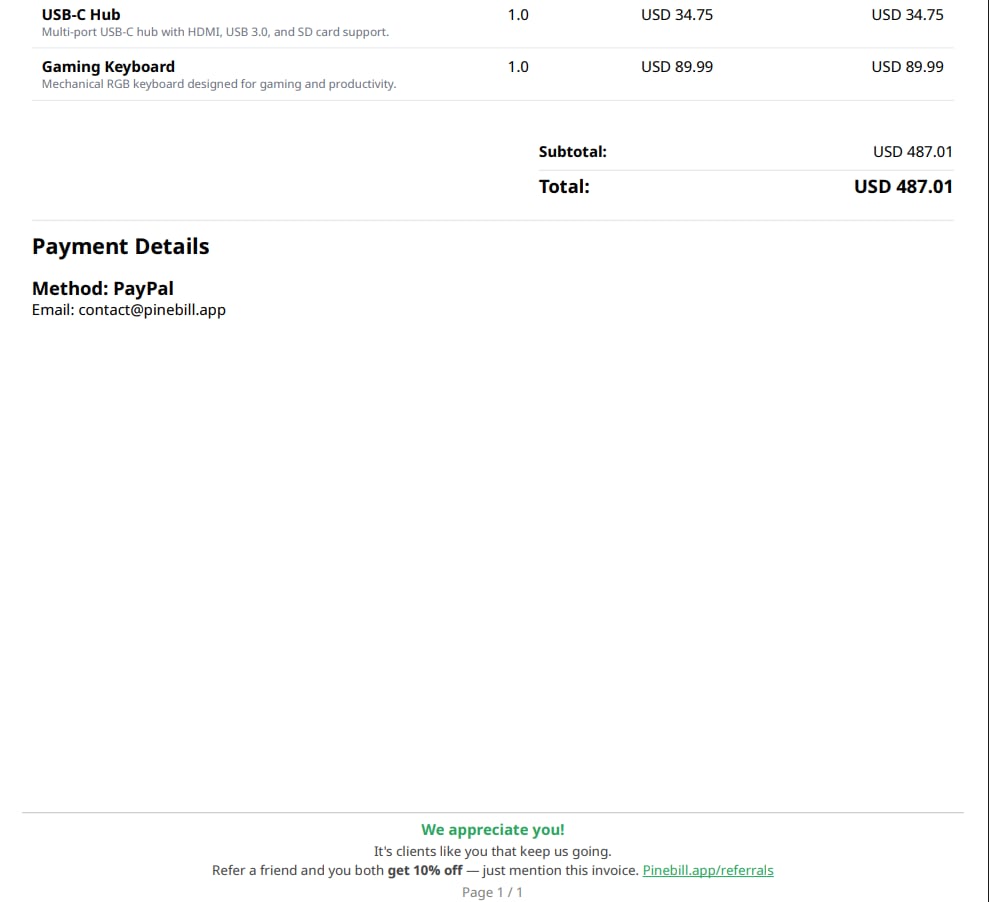
The footer is a block of rich content rendered at the bottom of every page of a generated PDF. The same footer system is shared by invoices and estimates — one editor, one set of defaults.
Use it for things like legal disclaimers, return policies, bank/registration details, a thank-you note, or a small logo.
Where to set it
There are two places, and they work together:
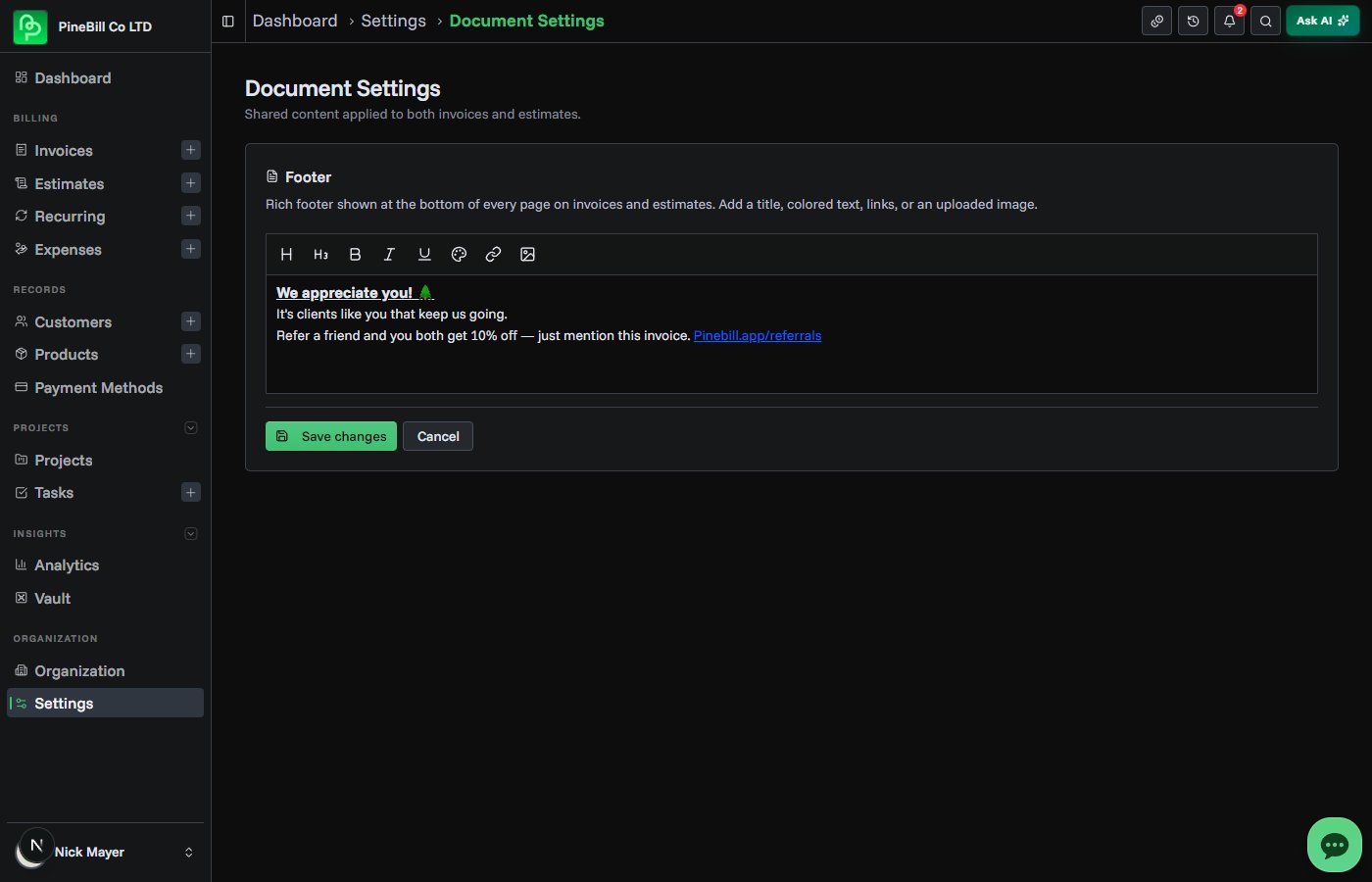
- Default footer (Settings → Document Settings): applied automatically to new invoices and estimates. Set this once and every new document starts with it.
- Per-document footer (in the generator): open the Details section while creating or editing an invoice or estimate and edit the Footer field. This overrides the default for that single document.
Changing the default footer in Document Settings does not change invoices or estimates you already created — only documents made afterward. To update an existing document, edit it and change its footer directly.
What you can add
The footer uses a rich-text editor. The toolbar supports:
- Title and Subtitle headings
- Bold, Italic, and Underline
- Text color
- Links — add, edit, or remove. URLs without a scheme default to
https://. - Images — upload from the toolbar, or paste/drag an image straight into the editor.
Images: PNG, JPEG, or WebP, up to 2 MB. After inserting an image, drag its corner handles to resize — the aspect ratio is locked so logos don't distort.
How it renders
- The footer appears centered at the bottom of every page, in small print.
- The bottom page margin auto-fits the footer's height, so nothing overlaps your content or gets cut off.
- Very tall footers are capped so they can't take over the page.
Notes
- Footer content is sanitized on save and again before the PDF is generated. Only basic formatting tags survive; scripts and arbitrary styles are stripped.
- Uploaded images are stored on PineBill storage and served from there — external image URLs are not allowed.