Invoices List
Learn how to view, search, sort, filter, and export your invoices efficiently in PineBill.
Invoices List and Filtering
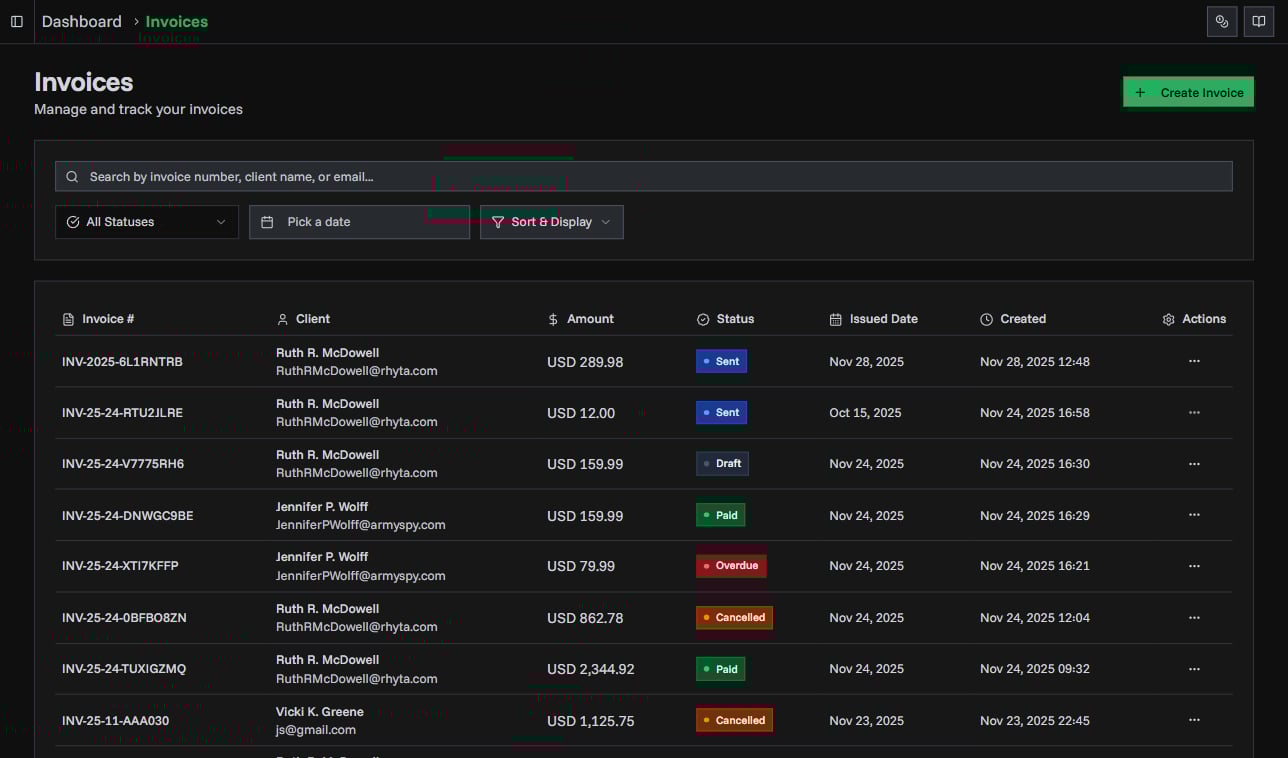
Access all your invoices from the Invoices page with powerful search and filtering capabilities.
List View Features
Table Columns
| Column | Description |
|---|---|
| Checkbox | Select invoice for bulk actions (owners only) |
| Invoice # | Unique invoice identifier |
| Customer Name | Name of the customer |
| Amount | Total amount with currency |
| Status | Current status (color-coded pill) |
| Issue Date | When invoice was created |
| Due Date | Payment deadline |
| Assigned To | Employee assignment (if applicable) |
| Actions | Quick actions (view, edit, change status, delete) |
Sorting Options
| Feature | Description |
|---|---|
| Column Sort | Click any column header to sort |
| Sort Direction | Toggle between ascending/descending |
| Default Sort | Newest first (by creation date) |
Pagination Controls
| Option | Description |
|---|---|
| Items per Page | 10, 25, 50, or 100 invoices per page |
| Navigation | Previous/Next buttons |
| Page Jump | Jump to specific page number |
Search and Filtering
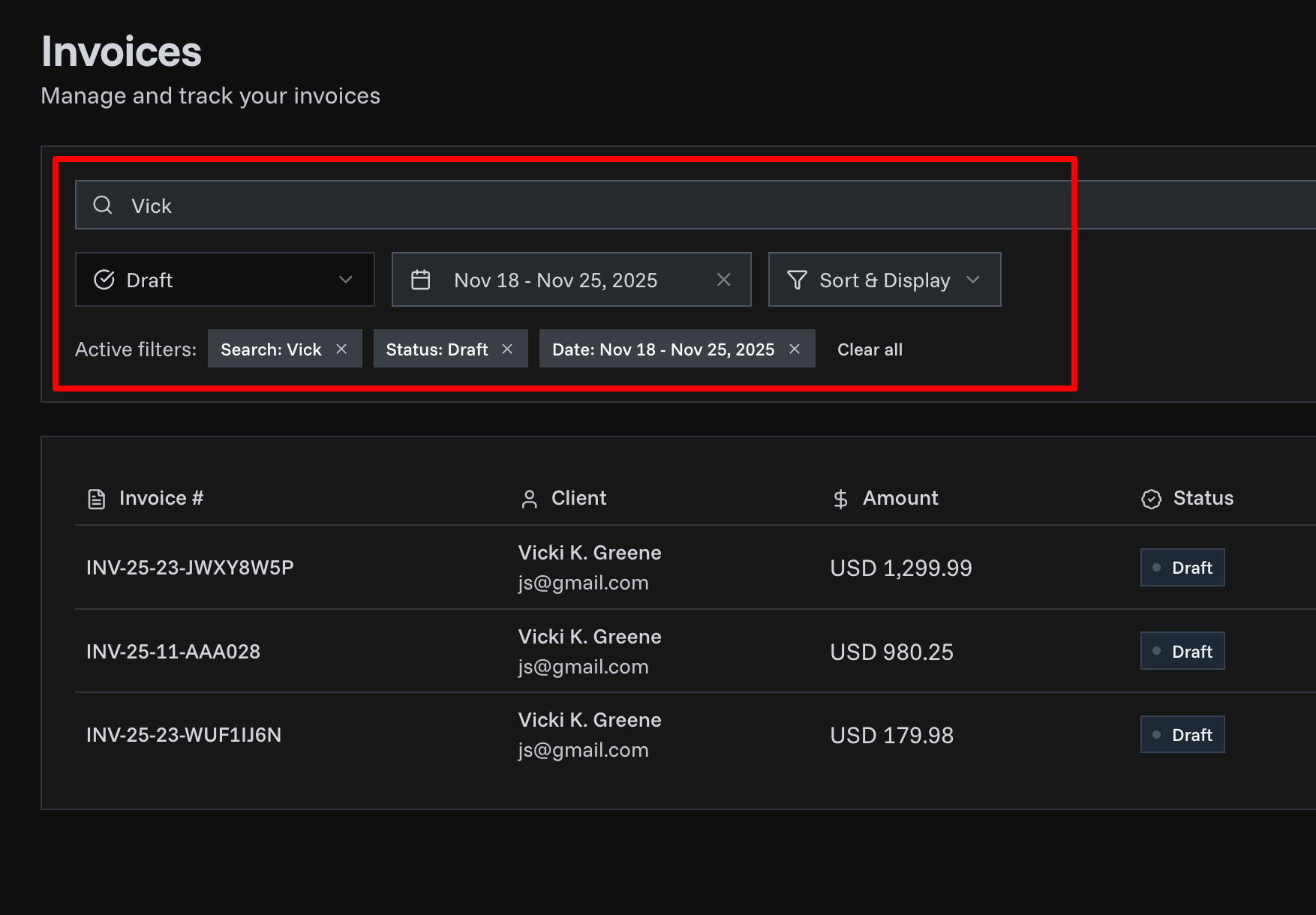
Find invoices quickly with powerful filters:
Search Bar
| Search Type | Description |
|---|---|
| Invoice Number | Search by unique invoice ID |
| Customer Name | Search by customer name |
| Customer Email | Search by customer email address |
| Description | Search in invoice description |
| Real-time Search | Results update as you type |
Status Filter
| Feature | Options |
|---|---|
| Available Statuses | Draft, Sent, Paid, Overdue, Cancelled |
| Selection Type | Multi-select to show multiple statuses |
| Filter Display | Active filters shown as removable chips |
Date Range Filter
| Filter Type | Options |
|---|---|
| Range Type | Filter by issued date range |
| Quick Presets | Last 7 days, Last 30 days, Last 90 days, This Year |
| Custom Range | Custom date range picker |
Employee Filter
| Feature | Description |
|---|---|
| Filter by Employee | Show invoices assigned to specific employee |
| Unassigned | Show invoices without employee assignment |
| Use Case | Useful for team organizations |
Active Filters Management
| Feature | Description |
|---|---|
| Display | Shown as chips above the table |
| Remove Filter | Click X on any chip to remove |
| Clear All | Reset all filters at once |
Bulk Actions
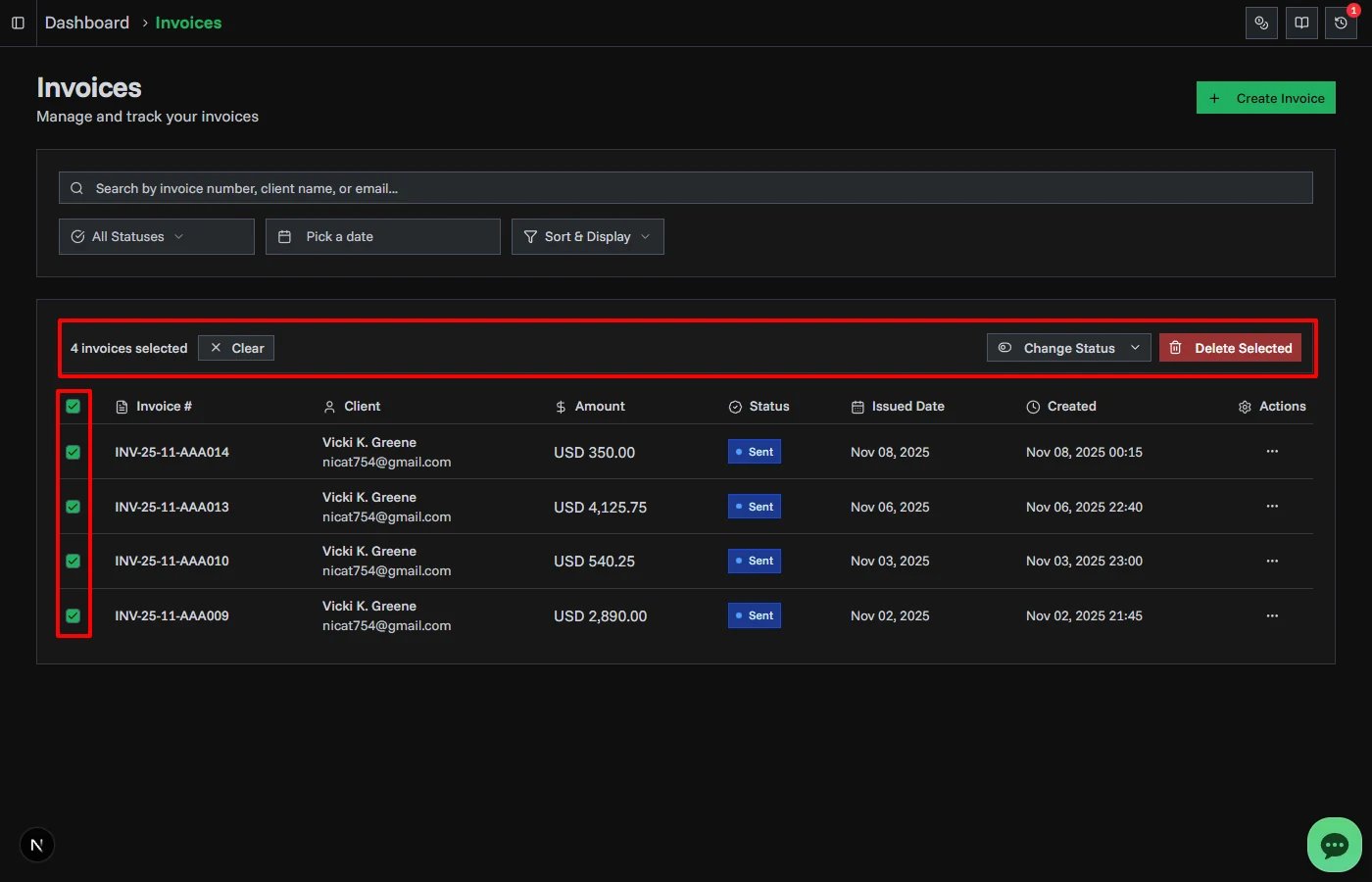
Select multiple invoices to perform batch operations, saving time when managing large numbers of invoices.
Selecting Invoices
| Feature | Description |
|---|---|
| Checkbox Column | Click the checkbox next to any invoice to select it |
| Select All | Use the header checkbox to select all invoices on the current page |
| Indeterminate State | Header checkbox shows a minus icon when some (but not all) are selected |
| Selection Count | Shows how many invoices are currently selected |
Available Bulk Actions
When you have invoices selected, a bulk actions bar appears with the following options:
| Action | Description |
|---|---|
| Change Status | Update the status of all selected invoices at once |
| Delete Selected | Remove all selected invoices (with confirmation) |
| Clear Selection | Deselect all invoices |
Bulk Status Change
Change the status of multiple invoices simultaneously:
- Select the invoices you want to update
- Click Change Status in the bulk actions bar
- Choose the new status from the dropdown (Draft, Sent, Paid, Overdue, or Cancelled)
- Confirm the change in the dialog
When changing status to Paid, the paid date is automatically set. When changing from Paid to another status, the paid date is cleared.
Bulk Delete
Remove multiple invoices at once:
- Select the invoices you want to delete
- Click Delete Selected
- Review the confirmation dialog showing the number of invoices to be deleted
- Confirm to permanently remove the selected invoices
Bulk delete is permanent and cannot be undone. All associated data including PDFs will be removed.
Bulk actions are only available to organization owners.
Exporting Invoices
Download invoices as a single ZIP file containing every invoice PDF and an Excel spreadsheet — useful for sharing with your accountant, archiving, or reconciling payments.
How to Export
- Open the Invoices page and apply any search, filters, or sorting you need
- Optionally select specific invoices using the checkboxes
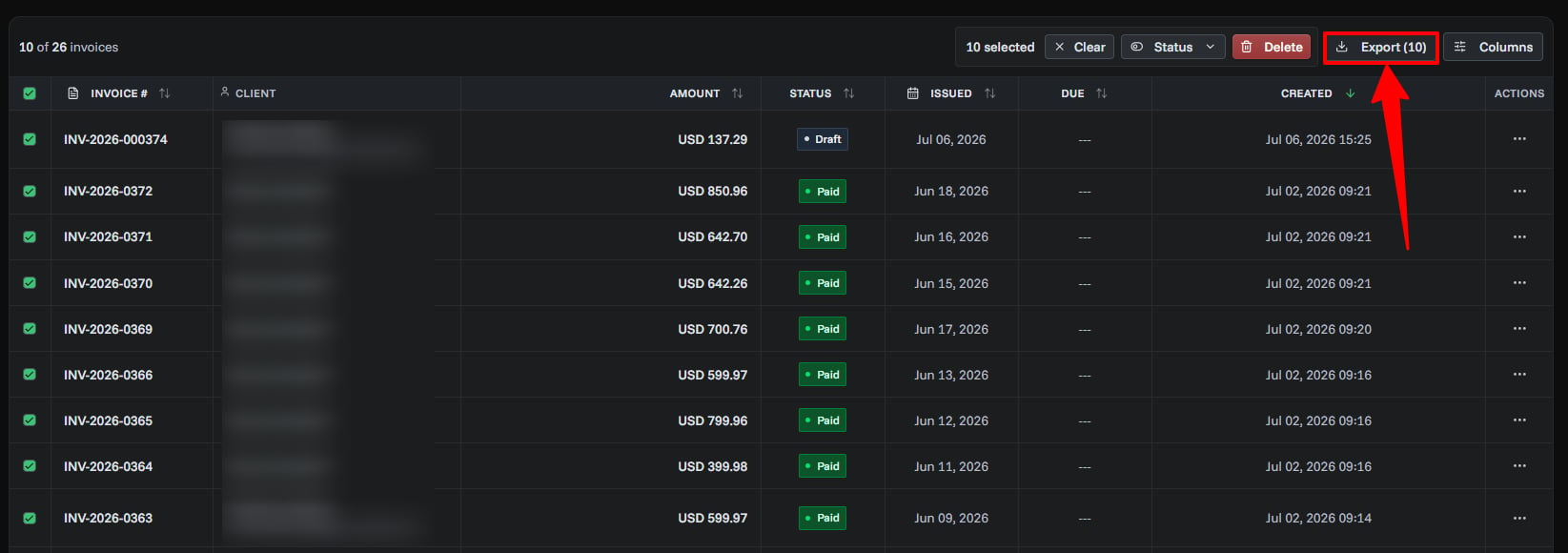
- Click Export in the table toolbar (next to Columns)
- Wait for the progress notification to finish — the ZIP downloads automatically
| Selection | What gets exported |
|---|---|
| No invoices selected | All invoices on the current page are selected and exported |
| Some invoices selected | Only the selected invoices — the button shows the count, e.g. Export (5) |
Export works on the current page. To export more invoices at once, increase Items per Page (up to 100), or export each page one after another.
What's in the ZIP
| File | Contents |
|---|---|
invoices.xlsx | Excel workbook with an Invoices sheet and a Line Items sheet |
pdfs/invoice-<number>.pdf | The PDF of each exported invoice |
Invoices sheet — one row per invoice:
| Column group | Columns |
|---|---|
| Invoice | Invoice #, Status, Description, Created At |
| Customer | Customer, Customer Email, Customer Phone, Customer Address, Zip Code, Country, Customer Tax ID |
| Dates | Issued Date, Due Date, Paid Date |
| Amounts | Currency, Subtotal, Discount, Tax Rate, Tax Type, Tax Included, Shipping, Total |
| Other | Items (count), Project, Assigned To, PDF File |
Line Items sheet — one row per invoice item: Invoice #, Customer, Item, Model, Description, Quantity, Unit Price, Line Total, and Currency.
Dates and amounts are stored as real spreadsheet values, so you can sort, filter, and sum them immediately. The header row is frozen and column filters are enabled.
File Names
Each export gets a unique name so multiple downloads never overwrite each other:
invoices_2026-09-14_1.zip
invoices_2026-09-14_2.zip
invoices_2026-09-14_3.zip
The number increases with every export on the same day and restarts the next day.
If an invoice has no generated PDF (or it can't be downloaded), the export still completes. A notification lists the affected invoice numbers, and their PDF File column in the spreadsheet shows "Not available".
Export is available to all organization members who can view invoices — not only owners.
Tips for Efficient Search
Use the search bar for quick lookups by customer or invoice number. Combine multiple filters to narrow down results when managing large invoice lists.
- Combine multiple filters for precise results
- Use status filters to focus on actionable invoices (e.g., Overdue)
- Save time with date presets for common reports
- Use bulk actions to update multiple invoices at once
- Filter first, then click Export to download exactly the invoices you need
- Clear all filters to start fresh