Employees
Manage employees and track their invoice performance.
Quick Start
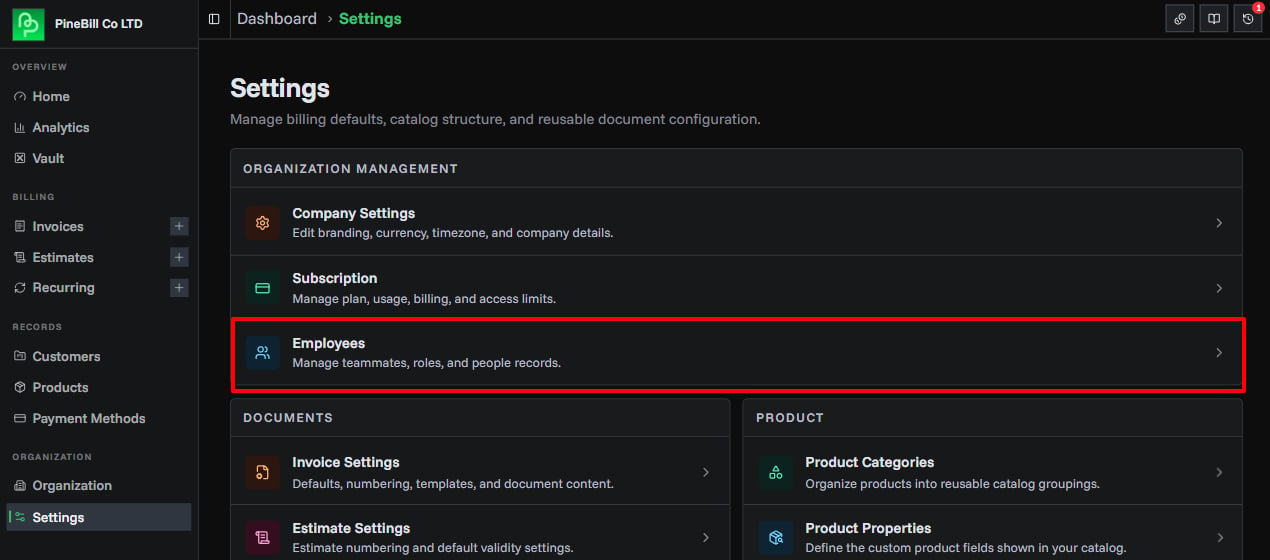
Employees represent your organization's staff members. Track who creates invoices and analyze employee performance in analytics. Open the page from Settings → Organization Management → Employees.
Employee Fields
| Field | Required | Max Length | Description |
|---|---|---|---|
| Employee ID | Yes | 50 chars | Unique identifier (e.g., EMP001) |
| Full Name | Yes | 100 chars | Employee's full name |
| No | - | Email address (must be valid format) | |
| Phone | No | 50 chars | Phone number (any format) |
| Position | No | 100 chars | Job title (e.g., Sales Manager) |
| Department | No | 100 chars | Department name (select existing or enter new) |
| Hire Date | No | - | Date when employee was hired |
| Link to User | No | - | Connect employee to organization member account |
Creating Employees
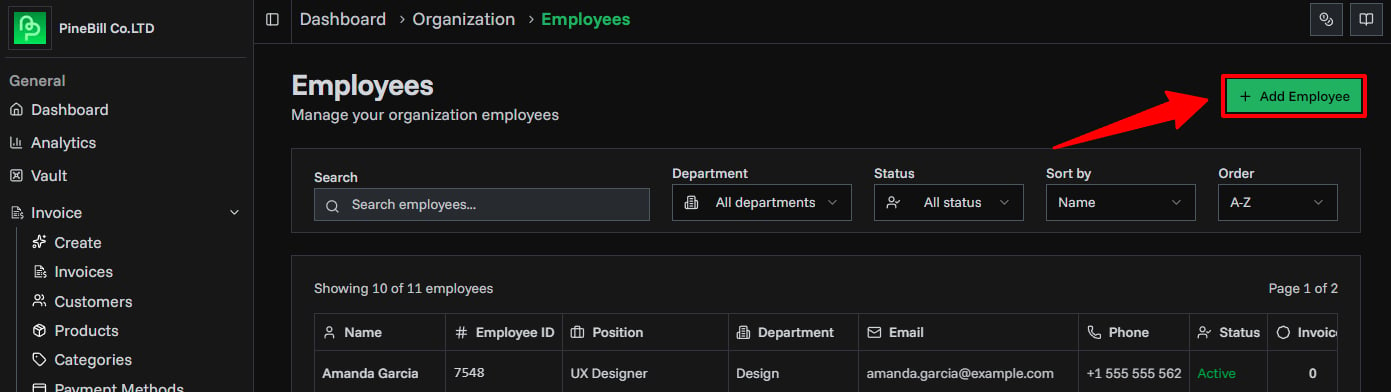
Open Create Dialog
- Open Settings
- In Organization Management, click Employees
- Click Add Employee button (top-right)
- Create employee dialog opens
Fill Employee Details
Required Fields:
Employee ID: EMP001 *
Full Name: John Doe *
Optional Fields:
Email: john.doe@company.com
Phone: +1 (555) 123-4567
Position: Sales Manager
Department: Sales (select or type new)
Hire Date: [Select from calendar]
Link to User: [Select organization member]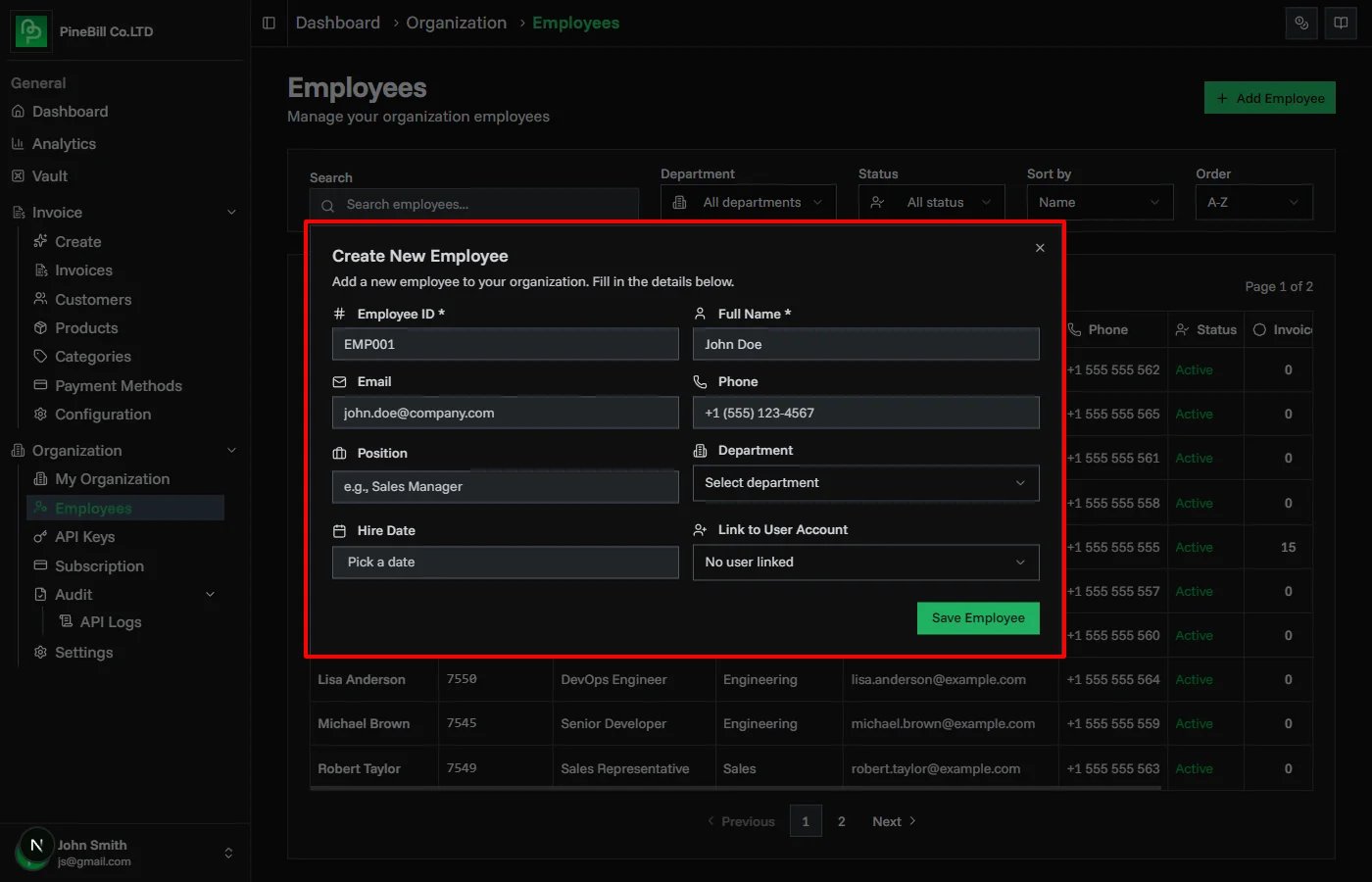
Department Selection:
- Dropdown shows existing departments
- Select "Custom Department" to enter a new one
- Type new department name in text field
Link to User:
- Links employee record to organization member
- Enables user to be assigned to invoices
- Shows member's name and email in dropdown
- Optional - employees don't need to be linked
Save Employee
- Click Create Employee button
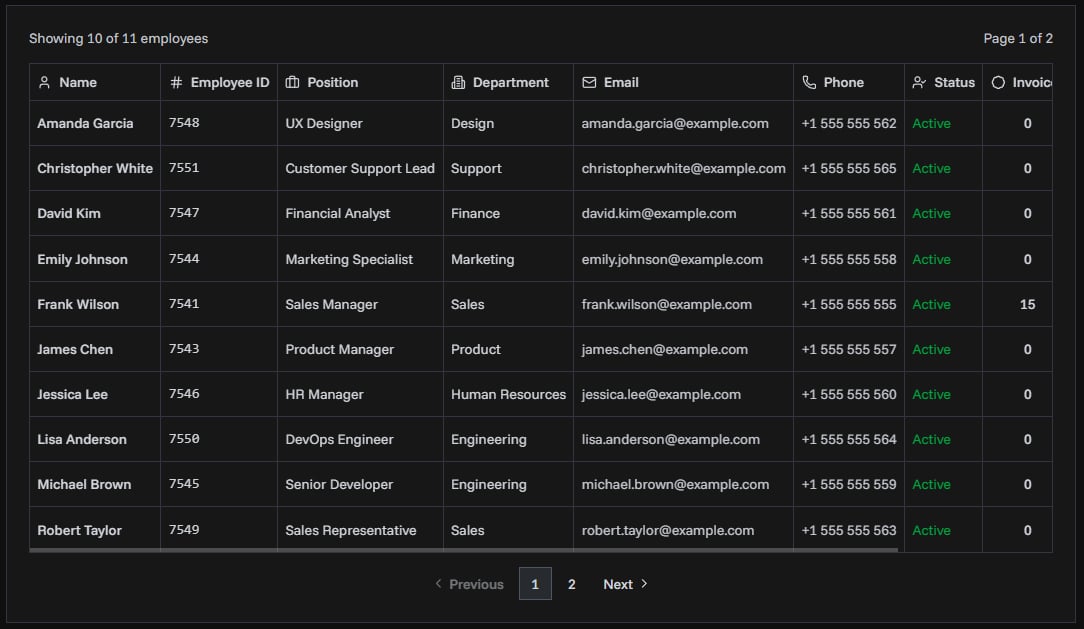
Employee List
Table showing all employees:
| Column | Information |
|---|---|
| Employee ID | Unique identifier |
| Name | Full name |
| Email address (if set) | |
| Phone | Phone number (if set) |
| Position | Job title (if set) |
| Department | Department name (if set) |
| Status | Active or Inactive badge |
| Actions | View details, edit, or delete |
Managing Employees
Viewing Employee Details
- Click employee row or View icon
- Opens employee details page
- Shows:
- Employee information
- Monthly performance stats
- Invoice history table
- Total invoices created
- Total revenue generated
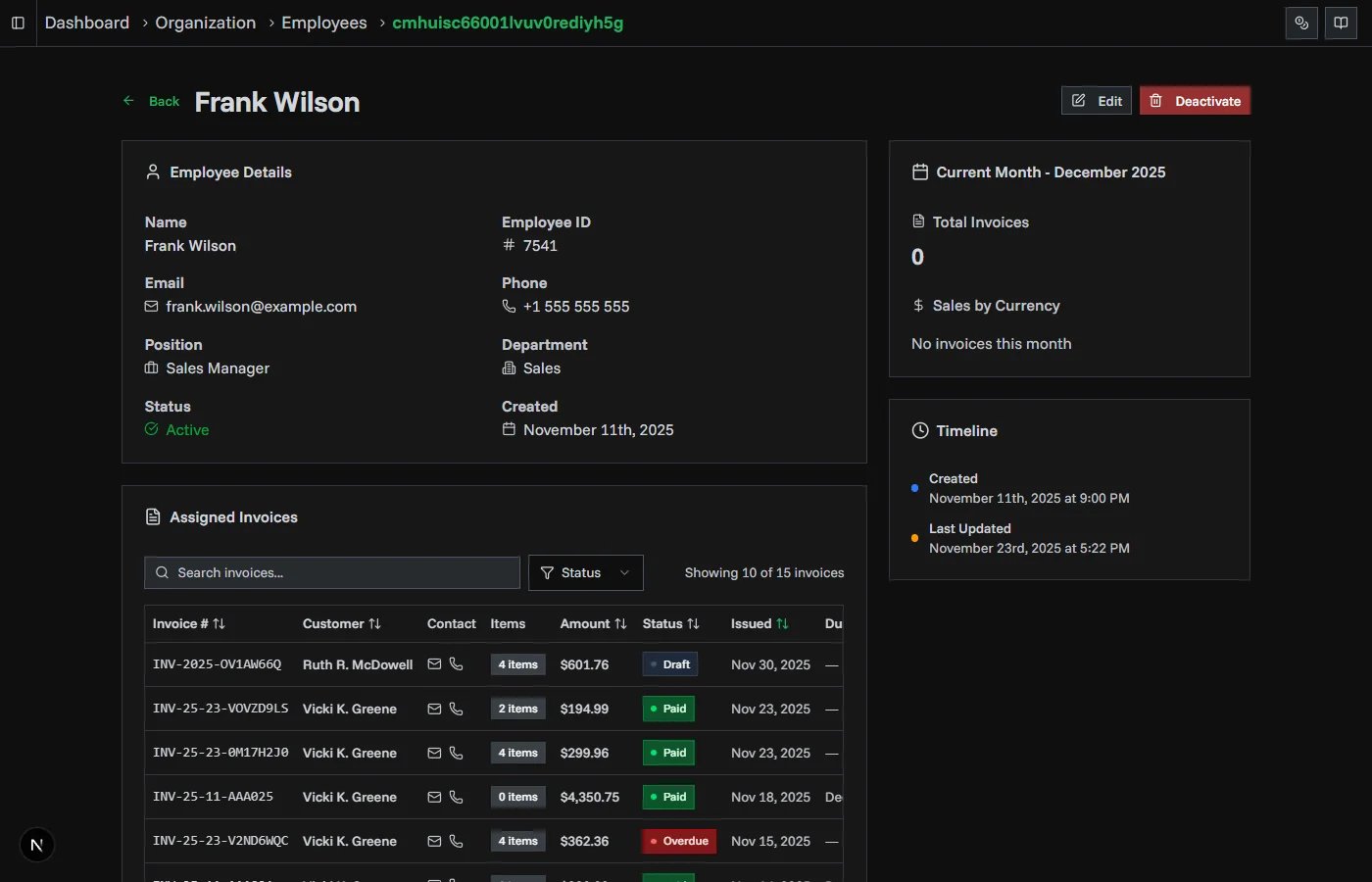
Monthly Stats:
- Revenue by month
- Invoice count by month
- Conversion rate (paid/total invoices)
- Visual charts
Invoice Table:
- All invoices assigned to this employee
- Filter by status, date, amount
- Sort by any column
- Click invoice to view details
Editing Employees
- Click Edit icon on employee row
- Edit dialog opens with current data
- Update any fields
- Click Save Changes
All fields can be edited including:
- Employee ID
- Name
- Contact information
- Department
- Hire date
- Linked user
Note: Editing employee ID doesn't affect existing invoice assignments.
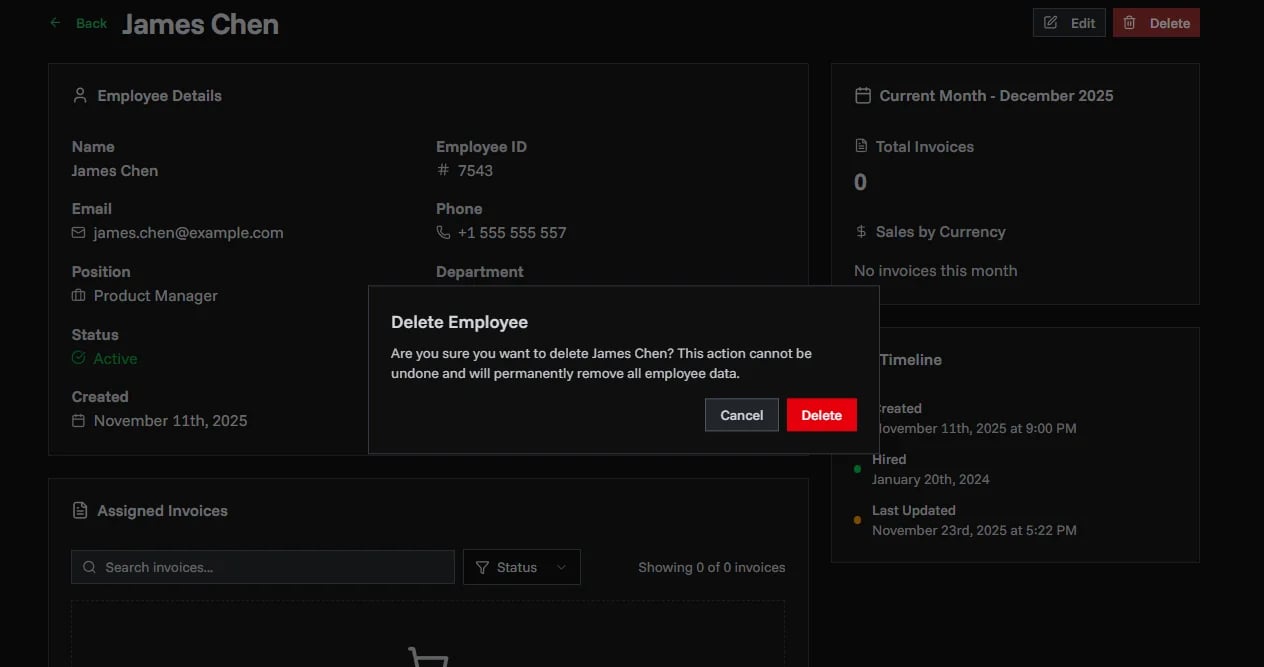
Deleting Employees
Important behavior:
If employee has NO assigned invoices:
- Employee is permanently deleted
- Cannot be undone
- Removed from the system
If employee HAS assigned invoices:
- Employee is deactivated instead (not deleted)
- Status changes to "Inactive"
- Remains in the database
- Invoices keep the employee reference
- Appears in historical data and analytics
To delete:
- Click Delete icon
- Confirm deletion
- System checks for assigned invoices:
- No invoices: Deleted permanently
- Has invoices: Deactivated
Linking Employees to Users
Purpose
Linking connects an employee record to an organization member account:
- Enables assigning the user to invoices
- Tracks which member created which invoice
- Powers employee performance analytics
- Shows employee in invoice assignment dropdown
How to Link
When Creating Employee:
- In create dialog, find "Link to User" field
- Dropdown shows all organization members
- Select a member
- Employee is linked to that user account
When Editing Employee:
- Edit existing employee
- Change "Link to User" field
- Can link, unlink, or change linked user
Common Errors
Related Topics
- Creating Invoices - Assign employees to invoices
- Analytics - View employee performance (Enterprise)
- Organization - Manage team members