Invoice Components
Understand all the sections and elements that make up a PineBill invoice.
Invoice Components
Every PineBill invoice is carefully structured to include all the essential information needed for professional billing. Understanding these components will help you create complete and effective invoices.
Header Information
The invoice header contains your business identity and key reference details.
Includes:
- Your company logo and name
- Your business address and contact details
- Invoice title ("INVOICE")
- Invoice number (unique identifier)
- Issued date and due date
- Terms of payment (e.g., Net 30)
- Custom Term Fields (if applicable)

Customer Information
The "Issued To" section identifies who is being invoiced.
Includes:
- "Issued To:" section label
- Customer name
- Customer ID
- Customer address
- Customer contact details (email, phone)

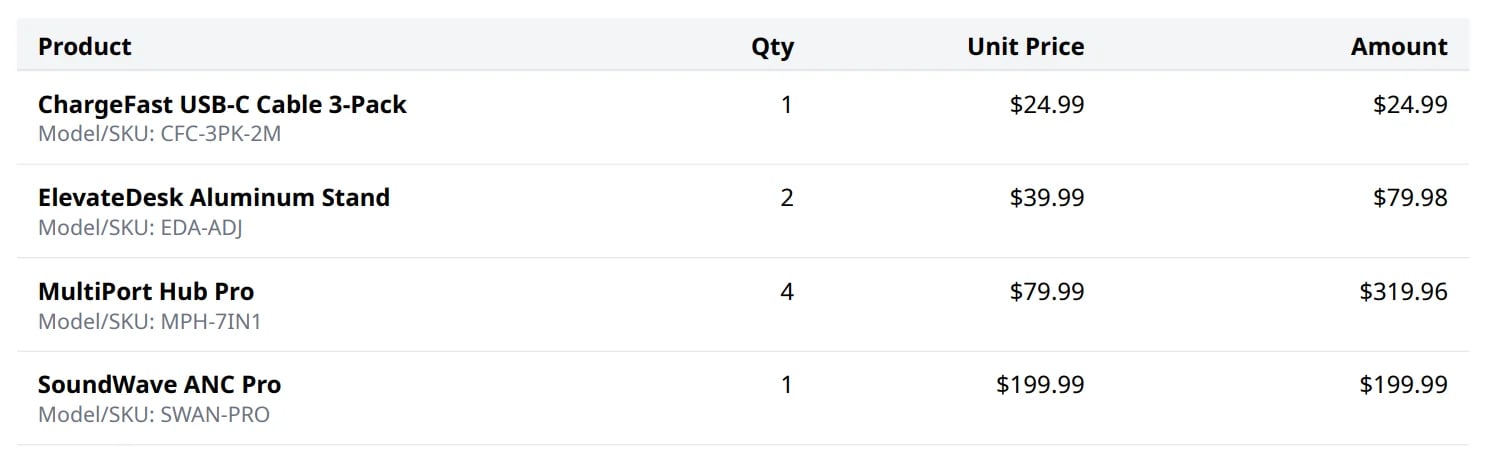
Line Items Table
The core of your invoice where you itemize products or services.
Includes:
- Item descriptions
- Model/SKU numbers (if applicable)
- Quantities
- Unit prices
- Line totals (calculated automatically)
For Product Mode:
- Standard quantity × price calculations
For Hourly Mode:
- Hours/minutes worked
- Hourly rate
- Time-based totals
Calculations Section
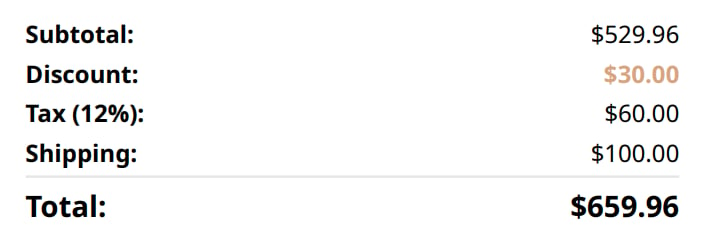
Shows the financial breakdown from subtotal to final amount due.
Includes:
- Subtotal - Sum of all line items
- Discount - Percentage or fixed amount reduction (if applied)
- Tax - Calculated tax amount (if applicable)
- Shipping/Delivery Fee - Additional charges (if applicable)
- Grand Total - Final amount due (prominently displayed)
Payment Information
Provides customers with clear payment instructions.
Includes:
- Payment method details (bank account, PayPal, Crypto wallet, or any custom method(Stripe, Square, etc.)) (Optional)

Footer
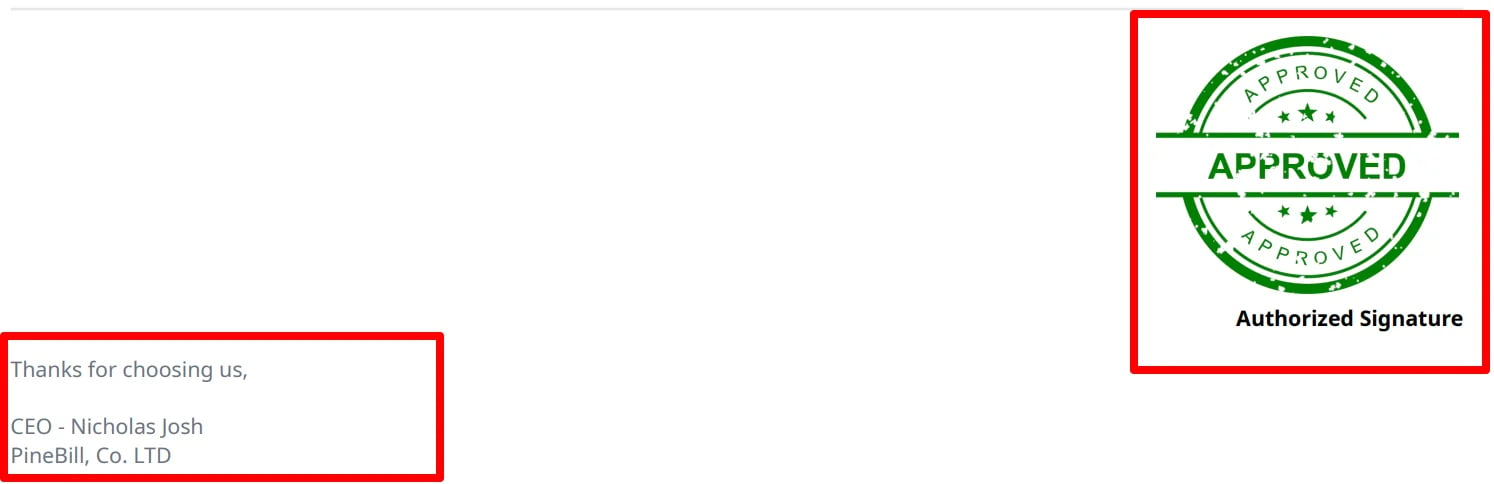
Additional information and notes appear at the bottom of the invoice.
Includes:
- Additional notes or custom messages (Optional)
- Digital signature (optional)
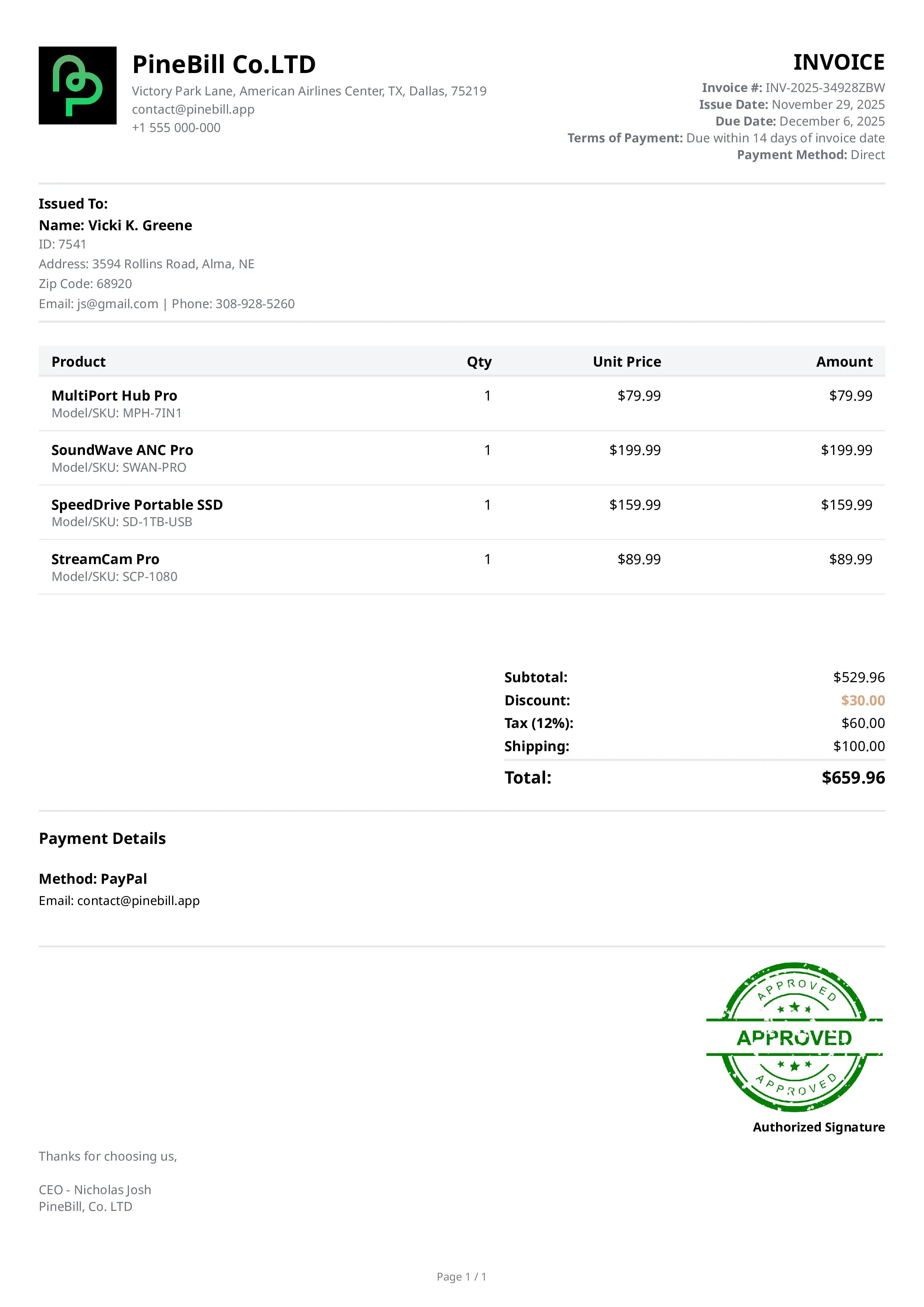
Full Invoice Example
Here's how all components come together in a complete invoice:
Component Customization
Different invoice templates may arrange these components differently, but all essential information is always included. Learn more about customizing the appearance in Invoice Templates.
Related Topics
- Creating Invoices - Learn how to fill in each component
- Invoice Templates - Choose different visual layouts
- Invoice Settings - Configure default values for components