AI Agents for Invoice Automation: Grok, OpenClaw, Gemini CLI, Le Chat and More

Any AI agent that supports remote MCP servers can automate your invoicing through PineBill. Connect once with the server URL https://www.pinebill.app/api/mcp, sign in, and the agent can create invoices and estimates, email them after you approve, track time, log expenses and report on what's overdue. The difference between agents is where you talk to them and whether they can work while you're away.
This guide compares the main options and gives the setup for each.
Three Kinds of AI Agents
| Type | Agents | Best for |
|---|---|---|
| Chat assistants | ChatGPT, Claude, Grok, Mistral Le Chat | Creating and sending invoices when you ask, from a chat window |
| Personal agents | Grok Bot, OpenClaw, Hermes Agent | Scheduled checks and billing from WhatsApp, Telegram or Slack |
| Coding agents | Claude Code, Codex, Cursor, VS Code, Gemini CLI | Developers billing from the terminal or editor |
All three types use the same tools from PineBill. A chat assistant waits for you. A personal agent can run on a schedule. A coding agent can combine PineBill with your files, for example turning a TODO list into billable tasks.
What Every Agent Can Do Once Connected

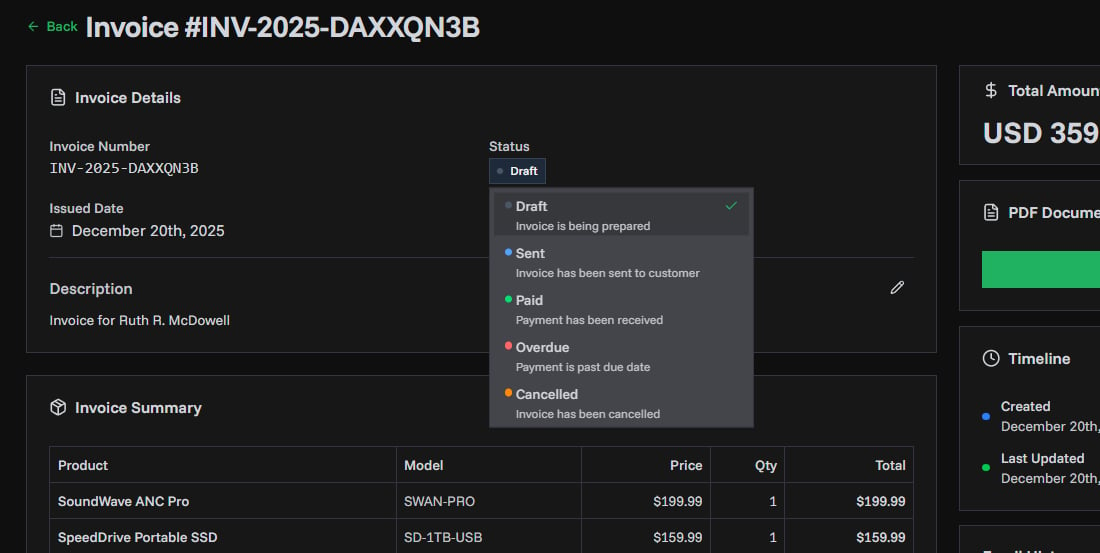
- Invoices and estimates: create, update, duplicate, email (after you confirm), and get a PDF link.
- Customers and products: look up, add and update, so invoices use your saved names, addresses and prices.
- Time tracking: start, pause and stop timers on tasks, and adjust logged time.
- Expenses and projects: log costs against projects.
- Reports: revenue, expenses, invoice aging, customer growth and a business overview.
The available tools reference lists every tool.
Setup by Agent
ChatGPT
Add PineBill as a custom MCP server at chatgpt.com/plugins, choose OAuth, and sign in. Full steps: how to create an invoice with ChatGPT.
Claude
Add PineBill as a custom connector in Claude's settings and sign in. Full steps: how to create an invoice with Claude.
Grok and Grok Bot
On grok.com, go to grok.com/connectors, click New Connector, choose Custom, and paste the URL. In Grok Bot, open Connect apps, choose Add a custom connector, pick Remote HTTPS, and paste the URL. Full steps: automate invoices with Grok.
OpenClaw
openclaw mcp set pinebill '{"url":"https://www.pinebill.app/api/mcp","transport":"streamable-http","auth":"oauth"}'
openclaw mcp login pinebill
Full steps, tool filtering and scheduled jobs: invoice automation with OpenClaw.
Hermes Agent
Add this to ~/.hermes/config.yaml, then run hermes mcp login pinebill:
mcp_servers:
  pinebill:
    url: "https://www.pinebill.app/api/mcp"
    auth: oauth
Full steps: invoice automation with Hermes Agent.
Gemini CLI
Add PineBill to ~/.gemini/settings.json (all projects) or .gemini/settings.json (one project). Use httpUrl, which is Gemini CLI's key for Streamable HTTP servers:
{
  "mcpServers": {
    "pinebill": {
      "httpUrl": "https://www.pinebill.app/api/mcp",
      "oauth": { "enabled": true }
    }
  }
}
Restart Gemini CLI, then run /mcp auth pinebill to sign in.
Mistral Le Chat
An organization admin adds the connector: in Le Chat, open Intelligence → Connectors → Add Connector, choose Custom MCP, paste the URL, and save. Le Chat opens the PineBill sign-in. If it asks for a bearer token instead, remove the connector and add it again.
Claude Code, Codex, Cursor and VS Code
One command or a few lines of config each. See managing invoices from Claude Code, Cursor and Codex.
Any other MCP app
Add PineBill as a remote HTTP server with OAuth. If an app only supports local (stdio) servers, bridge it with mcp-remote. The developer tools docs have examples.
Choosing the Right Agent
- You invoice a few clients a month: a chat assistant you already pay for is enough.
- You're often away from a desk: a personal agent connected to WhatsApp or Telegram lets you bill from a text message.
- You want reports without asking: a personal agent with scheduled jobs can send you overdue invoices every Monday.
- You're a developer: your coding agent can track time on the task in front of you and invoice when it ships.
You don't have to pick one. Every connection is separate, and you can see and disconnect each from Organization → Connect MCPs in PineBill.
Rules for Safe Invoice Automation
- Approve every send. An email can't be unsent and a deleted invoice can't be restored.
- Give unattended agents fewer tools. Use view-only access, or filter out delete and send tools where the agent supports it.
- Ask for a list before acting. "Show me the invoices you'd create" catches a wrong rate before it reaches a client.
- Know the limits. 120 requests a minute and 2,000 an hour per PineBill user across all connected apps, and 30 invoice and estimate emails an hour.
Key Takeaways
- One PineBill connection works with every MCP-capable agent, from ChatGPT to OpenClaw.
- Chat assistants act when asked; personal agents can run on a schedule; coding agents bill from your editor.
- Setup is a URL and a sign-in, with no API key.
- Automate the preparation, approve the sending.
Sources
- xAI Docs — Grok connectors
- OpenClaw Docs — MCP transports and OAuth
- Hermes Agent Docs — MCP
- Mistral Docs — MCP connectors
- Gemini CLI — MCP servers
- PineBill Docs — MCP overview
Last updated: November 2026. AI apps change their setup screens often; the PineBill docs carry the current steps.
Frequently Asked Questions
Which AI agent is best for invoicing?
It depends on where you work. ChatGPT, Claude, Grok and Le Chat suit people who want to ask in a chat window. Grok Bot, OpenClaw and Hermes Agent suit hands-off work like scheduled overdue checks and billing from WhatsApp or Telegram. Claude Code, Codex, Cursor and Gemini CLI suit developers who bill from the terminal or editor. All of them can use the same PineBill connection.
Can an AI agent send invoices on its own?
Technically yes, but it shouldn't without your approval. Keep tool approvals on for sending and deleting, since an email can't be unsent. A good pattern is to let the agent prepare invoices and reports on a schedule, then approve the sends yourself.
Do I need a different integration for each AI agent?
No. PineBill is one remote MCP server at https://www.pinebill.app/api/mcp with OAuth sign-in. Any agent that supports remote MCP servers can connect to it, and you can see and disconnect every connected app from the Connect MCPs page in PineBill.
Is my financial data safe with an AI agent?
The agent only receives the records it asks for, and only what your PineBill role allows. Bank and card details of your payment methods are never sent. You can connect with view-only access, limit tools in agents that support filtering, and revoke access at any time.