Developer Tools
Connect PineBill to Claude Code, Cursor, VS Code, Codex, and other MCP apps.
PineBill is a remote MCP server that uses Streamable HTTP and signs you in with OAuth. Any app that supports remote MCP servers can connect. There's no API key to configure.
The Connect MCPs page has one-click buttons and ready-to-copy commands for each app below.
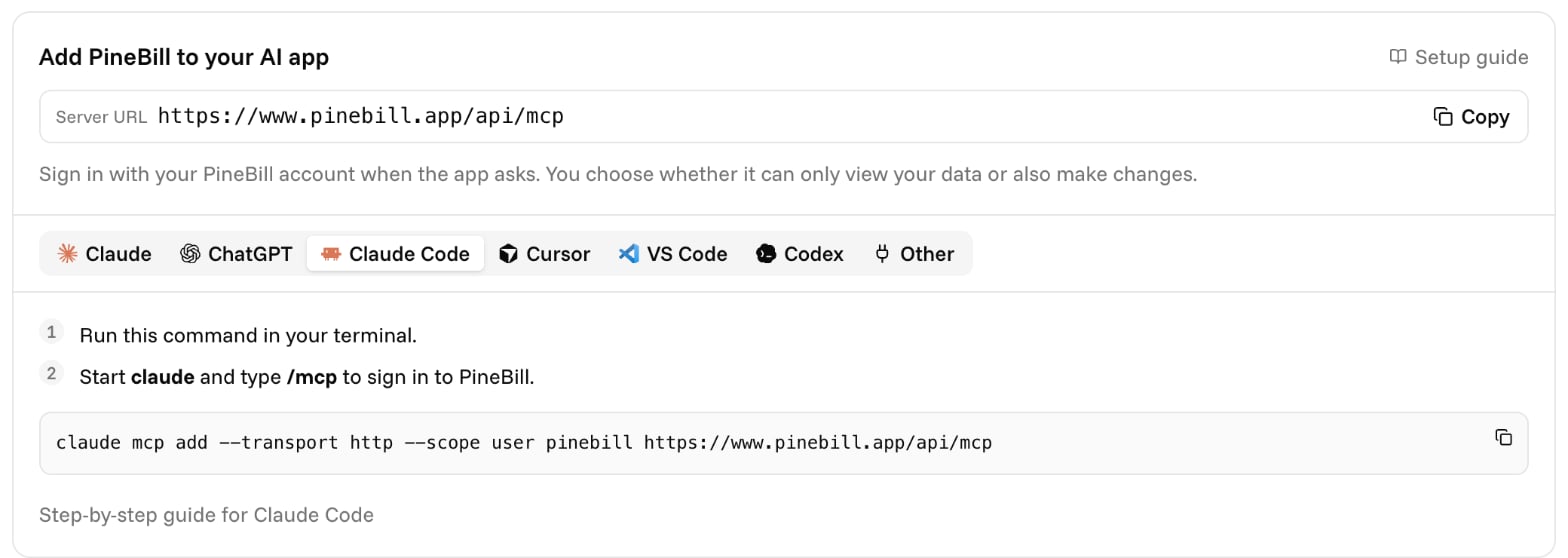
Claude Code
claude mcp add --transport http --scope user pinebill https://www.pinebill.app/api/mcpStart claude and type /mcp, then choose PineBill to sign in. --scope user makes PineBill available in every project. Leave it out to add it to the current project only.
Cursor
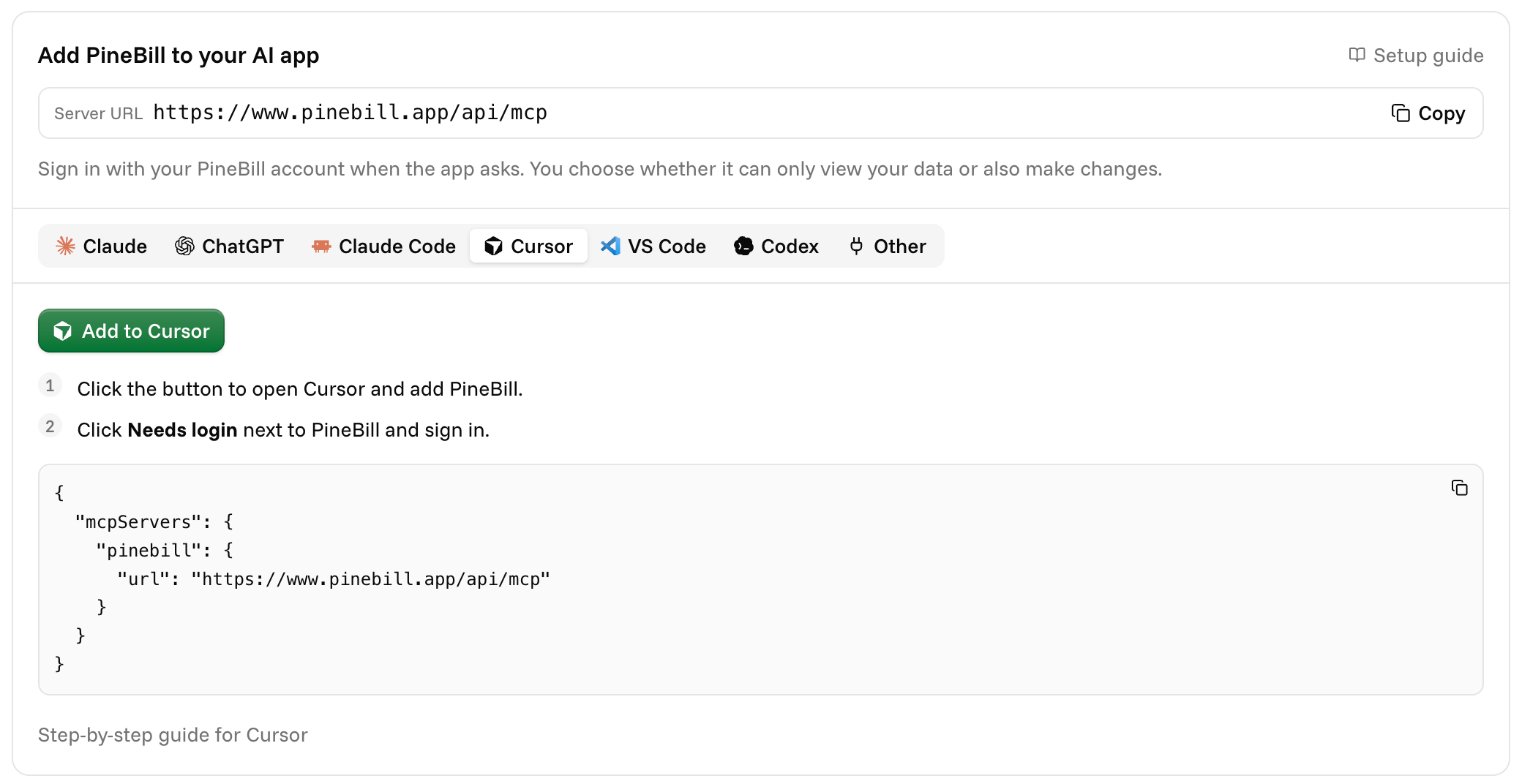
Use Add to Cursor on the Connect MCPs page, or add this to ~/.cursor/mcp.json (all projects) or .cursor/mcp.json (one project):
{
  "mcpServers": {
    "pinebill": {
      "url": "https://www.pinebill.app/api/mcp"
    }
  }
}
Cursor shows Needs login next to PineBill. Click it to sign in.
VS Code
Use Add to VS Code on the Connect MCPs page, or add it by hand:
- Open the Command Palette (
Cmd+Shift+Pon macOS,Ctrl+Shift+Pon Windows and Linux) and run MCP: Add Server. - Choose HTTP and enter
https://www.pinebill.app/api/mcp. - Name it
pinebilland pick Global or Workspace. - Run MCP: List Servers, select PineBill, choose Start Server, and allow the sign-in.
Or add it to .vscode/mcp.json:
{
  "servers": {
    "pinebill": {
      "type": "http",
      "url": "https://www.pinebill.app/api/mcp"
    }
  }
}
Codex
codex mcp add pinebill --url https://www.pinebill.app/api/mcpCodex detects that PineBill uses OAuth and opens your browser to sign in.
Other Apps
Add PineBill as a remote HTTP MCP server with OAuth. Most apps accept a config like this:
{
  "mcpServers": {
    "pinebill": {
      "url": "https://www.pinebill.app/api/mcp"
    }
  }
}
Some apps name the field differently: Windsurf uses serverUrl, and OpenCode uses "type": "remote" with url.
If an app only supports local (stdio) servers, use mcp-remote as a bridge:
{
  "mcpServers": {
    "pinebill": {
      "command": "npx",
      "args": ["-y", "mcp-remote", "https://www.pinebill.app/api/mcp"]
    }
  }
}
For Client Developers
PineBill follows the MCP authorization spec:
- Discovery documents are at
/.well-known/oauth-protected-resourceand/.well-known/oauth-authorization-serveron the PineBill origin. - Clients identify themselves with a Client ID Metadata Document (an HTTPS
client_id). Dynamic Client Registration is available as a fallback. - PKCE with
S256is required. Refresh tokens are issued when you requestoffline_access. - Scopes:
pinebill:read(granted by default) andpinebill:write(requested by write tools when needed). - Rate limits are per PineBill user, across every app they connect: 120 requests a minute and 2,000 an hour, where each JSON-RPC message (including
initializeandtools/list) is one request. Over the limit, the server answers HTTP429with aRetry-Afterheader (exposed to browsers through CORS) and a JSON-RPC error. Back off for that many seconds before retrying. - Email tools (
send_invoice_email,send_estimate_email) also have a limit of 30 calls an hour per user. Over it, the call returns a tool result withisError: trueexplaining the wait; nothing is sent.