Estimates
Converting Estimates to Invoices
Turn accepted estimates into invoices with one click in PineBill.
Overview
One of PineBill's most powerful features is the ability to convert an accepted estimate directly into an invoice. This eliminates duplicate data entry and ensures consistency between what was quoted and what is billed.
Requirements
Before you can convert an estimate to an invoice:
| Requirement | Details |
|---|---|
| Status | Estimate must be in ACCEPTED status |
| Subscription | Your organization must have available invoice slots in your plan |
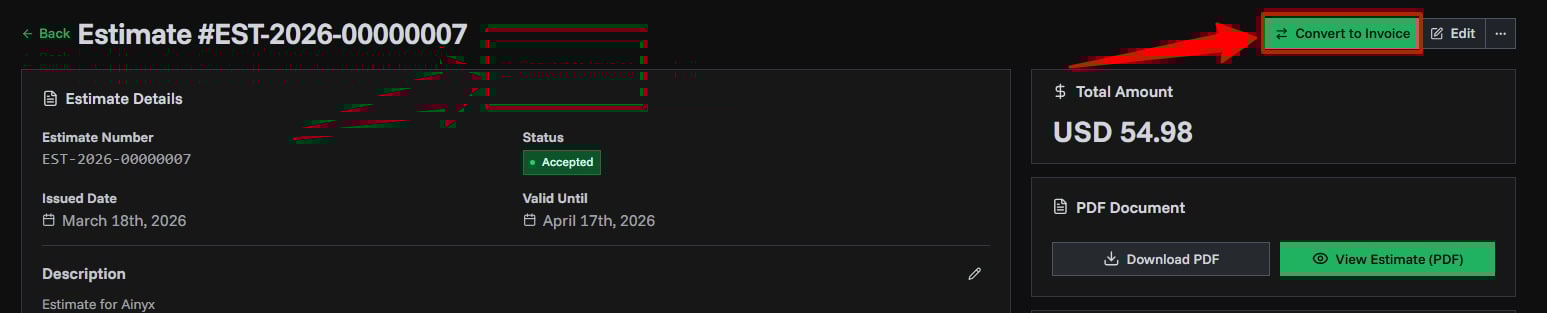
Only estimates with ACCEPTED status show the "Convert to Invoice" button. Update the estimate status first if needed.
How to Convert
- Open the estimate you want to convert
- Click the Convert to Invoice button in the page header
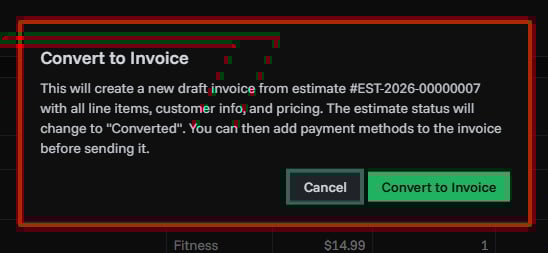
- Confirm the conversion in the dialog
- You'll be redirected to the newly created invoice
What Gets Copied
When you convert an estimate to an invoice, the following data is automatically transferred:
| Data | Copied | Notes |
|---|---|---|
| Line Items | Yes | All products/services with quantities |
| Customer | Yes | Same customer linked to the invoice |
| Pricing | Yes | Unit prices, quantities, totals |
| Tax Settings | Yes | Tax rate, type, and included/excluded |
| Discount | Yes | Discount amount carried over |
| Shipping | Yes | Shipping costs carried over |
| Currency | Yes | Same currency used |
| Custom Fields | Yes | All custom label-value pairs |
| Terms | Yes | Payment terms carried over |
| End Message | Yes | Custom message carried over |
| Employee | Yes | Assigned employee linked to invoice |
| Invoice Number | No | A new invoice number is generated |
| Dates | No | New issue date and due date are set |
| Payment Methods | No | Add payment methods on the new invoice |
What Happens After Conversion
The Estimate
- Status changes to CONVERTED automatically
- The estimate is locked — you can no longer change its status
- A link to the created invoice appears on the estimate details page
- The estimate remains in your list for reference and audit trail
The Invoice
- A new invoice is created with DRAFT status
- All estimate data is copied (see table above)
- A new invoice number is generated based on your Invoice Settings
- You're redirected to the new invoice details page
- The invoice shows it was created from an estimate (source link)
Subscription Limits
The conversion counts toward your organization's invoice limit. If you've reached your plan's invoice limit, the conversion will be blocked and you'll need to upgrade your subscription.
Related Topics
- Estimate Statuses - Understanding status transitions
- Estimate Details - Managing estimate information
- Creating Invoices - Invoice creation guide
- Invoice Details - Managing the created invoice