Estimate Settings
Configure estimate numbering, default validity period, and other preferences for your organization.
Overview
Estimate Settings let you control how estimate numbers are generated, set the default validity period, and configure default content for new estimates. This saves time and ensures consistency across all your estimates.
Accessing Estimate Settings
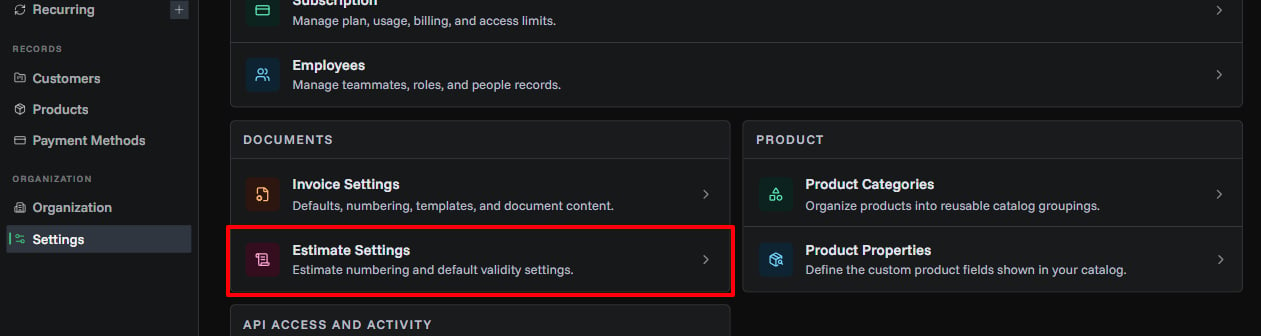
Open estimate settings from the centralized settings hub:
- Open Settings
- In Documents, click Estimate Settings
- Click the Edit Settings button (owners only)
Estimate Number Generation
Control how estimate numbers are automatically created for each new estimate.
Generation Strategy
Choose how your estimate numbers will be formatted:
| Strategy | Description | Example | Best For |
|---|---|---|---|
| Sequential | Creates numbered estimates in order | EST-2025-0001, EST-2025-0002 | Small businesses, simple numbering, easy customer reference |
| Secure Random | Generates random alphanumeric codes | EST-2025-A7K9M2, EST-2025-X3F8P1 | Enhanced security, preventing number guessing, high-volume businesses |
| Timestamp | Uses date and time | EST-20250910-X4Y7, EST-20250910-P9K2 | Date-based organization, chronological sorting, time tracking |
Prefix
Set the prefix that appears at the start of all estimate numbers.
Requirements:
- 3-10 characters
- Default:
EST - Examples:
EST,QUO,PROP
Sequence Length
Control how many digits appear in sequential numbers.
Settings:
- Minimum: 4 digits
- Maximum: 10 digits
- Example: Length 4 =
0001, Length 6 =000001
Changing estimate number settings doesn't affect existing estimates, only new ones.
Default Validity Period
Set how many days an estimate remains valid after creation. This automatically calculates the "Valid Until" date when creating new estimates.
| Setting | Details |
|---|---|
| Range | 1 to 365 days |
| Default | 30 days |
| Behavior | Sets "Valid Until" = Issue Date + N days |
Choose a validity period that gives customers enough time to respond while keeping your pricing commitments manageable. 30 days is standard for most businesses.
Saving Your Settings
After making changes:
- Review all your settings
- Check the estimate number preview
- Click Save Estimate Settings
- Wait for the success message