Bulk Import & Redesigned Lists
Import products and customers in bulk via CSV, plus faster pagination and column controls for both lists
.webp)
You can now import thousands of products and customers at once from a CSV file, and both list pages have been redesigned for a better experience.
Bulk CSV Import
Import up to 5,000 products or customers in a single operation. Click the Import button on the Products or Customers page to open the import wizard.
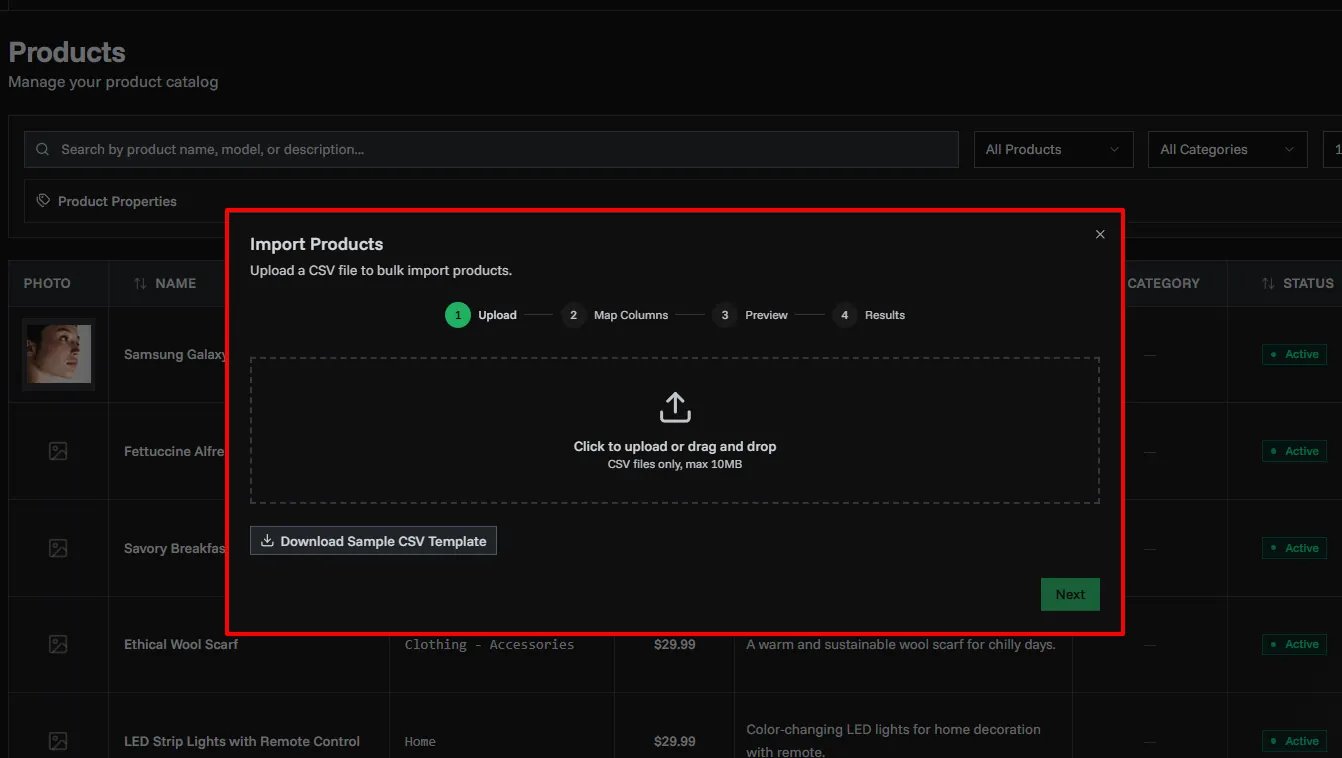
The wizard has four steps:
- Upload — Drop your CSV file or download a ready-made template
- Map Columns — Auto-detects your column names, with manual override
- Preview — Review your data and see any validation errors before importing
- Import — Tracks progress and shows a summary when done
Supported Fields
Products: Name, Model, Price, Description, Active
Customers: Name, Identifier, Email, Phone, Address, Zip Code, Country, Description
Redesigned Product & Customer Lists
Both the Products and Customers pages have been rebuilt with a new data table.
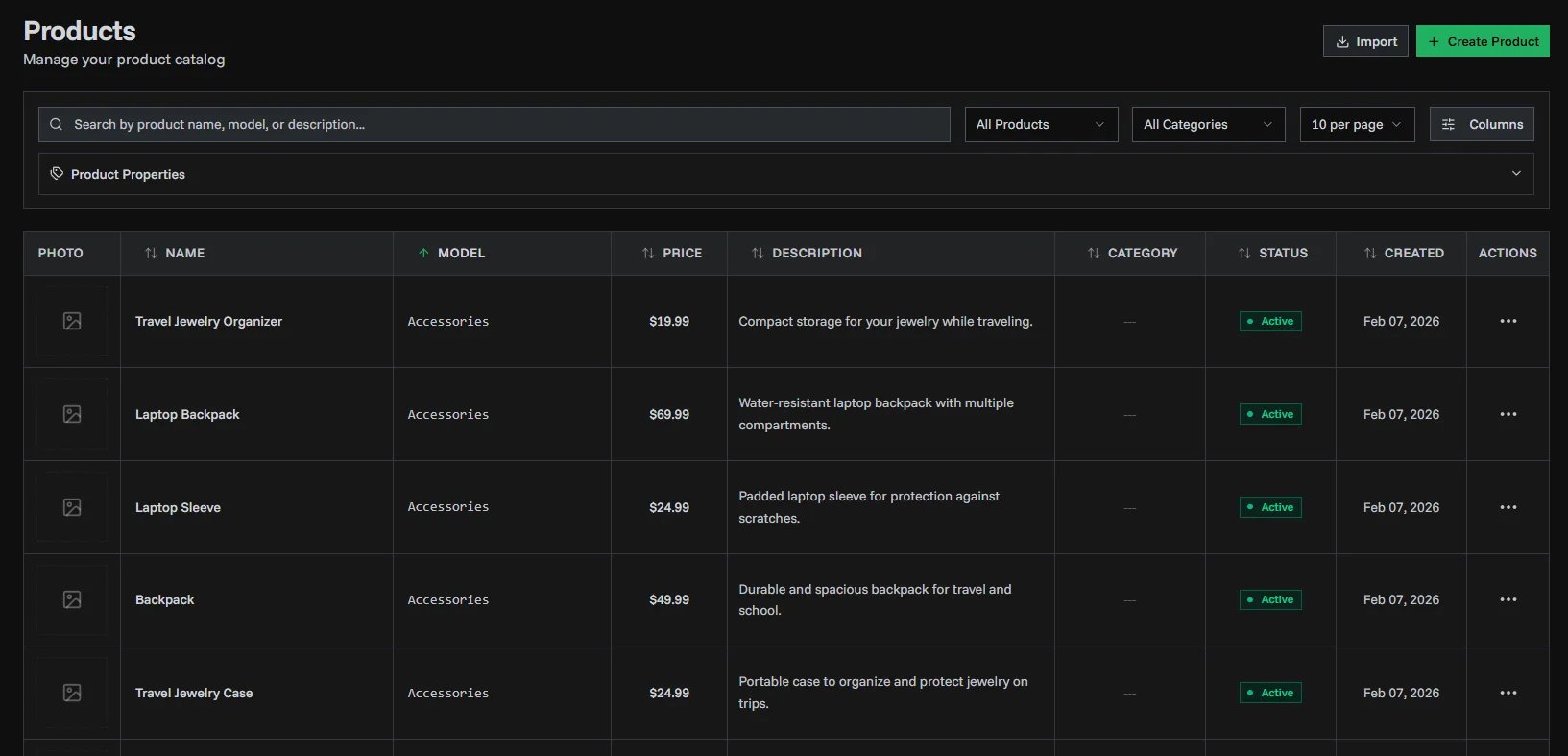
Faster Pagination
Navigating through large lists is now significantly faster and more reliable, even when your data changes between pages.
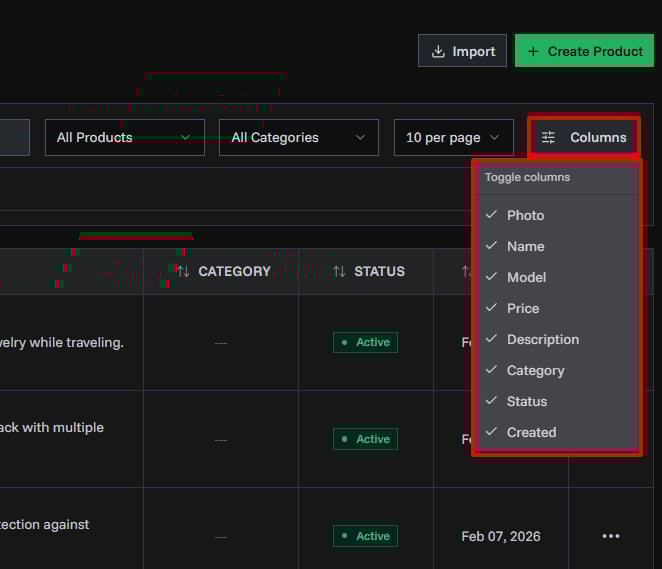
Column Visibility
Choose which columns to show or hide. Your preferences are remembered across sessions.
Sorting
Sort by name, price, date created, invoice count, and more — directly from the table headers.