Tasks
Creating Tasks
Add a task with hourly rate, due date, project assignment, and team member in PineBill.
Quick Start
Go to Dashboard -> Tasks and click New Task. You can also create tasks from the Tasks tab on a project detail page.
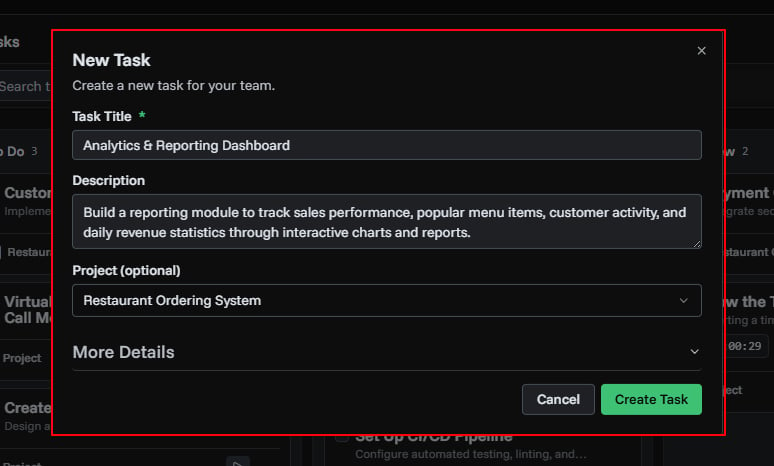
Task Fields
| Field | Required | Notes |
|---|---|---|
| Title | Yes | Task name, up to 200 characters |
| Description | No | Details about the task, up to 1,000 characters |
| Status | No | To Do (default), In Progress, Review, or Done |
| Start Date | No | When the task begins |
| Due Date | No | Target completion date, shown with urgency colors on the board |
| Hourly Rate | No | Rate used when converting the task to an invoice line item |
| Currency | No | Currency for the hourly rate, defaults to USD |
| Notes | No | Internal notes, up to 1,000 characters |
| Project | No | Assign the task to a project |
| Assigned To | No | Team member responsible for the task |
Step-by-Step Guide
1. Open the Task Form
- Go to Tasks
- Click New Task
- Enter a task title
2. Add Optional Details
Open More options to add:
- Description
- Status
- Start and due dates
- Hourly rate and currency
- Notes
- Project
- Assigned team member
If you create a task from a project's Tasks tab, the project is automatically selected.
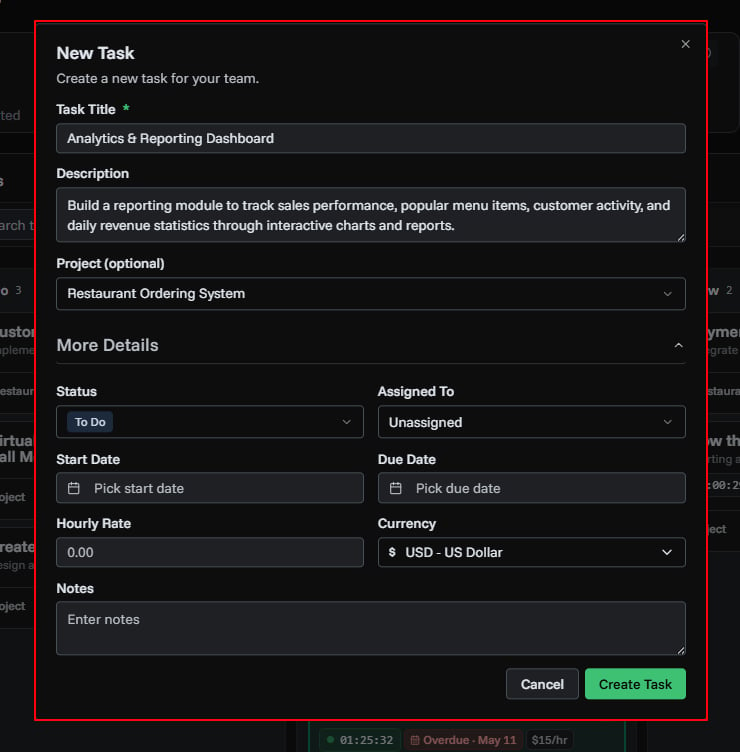
3. Save
Click Create Task. The task appears on the Kanban board in the selected status column (or To Do by default).
Due Date Urgency
Due dates on task cards are color-coded:
| Color | Meaning |
|---|---|
| Red | Overdue (past the due date) |
| Amber | Due within 2 days |
| Gray | More than 2 days away |
Editing a Task
Click a task to open the detail sidebar, then click Edit. You can also use the actions menu on the task card. All fields can be updated after creation.
After Creating
Once a task is saved, you can:
- Start tracking time with the built-in timer
- Upload file attachments (up to 3 files)
- Drag it between Kanban columns to change status
- Convert it to an invoice line item
- Link it to a different project
Related Topics
- Task Management - Overview of task features
- Time Tracking - Track hours with timers
- Converting Tasks to Invoices - Bill for completed work
- Project Management - Organize tasks into projects