Calendar
Calendar
See events, task deadlines, invoice due dates, project deadlines, and expenses together on one calendar, and schedule your own events.
Quick Start
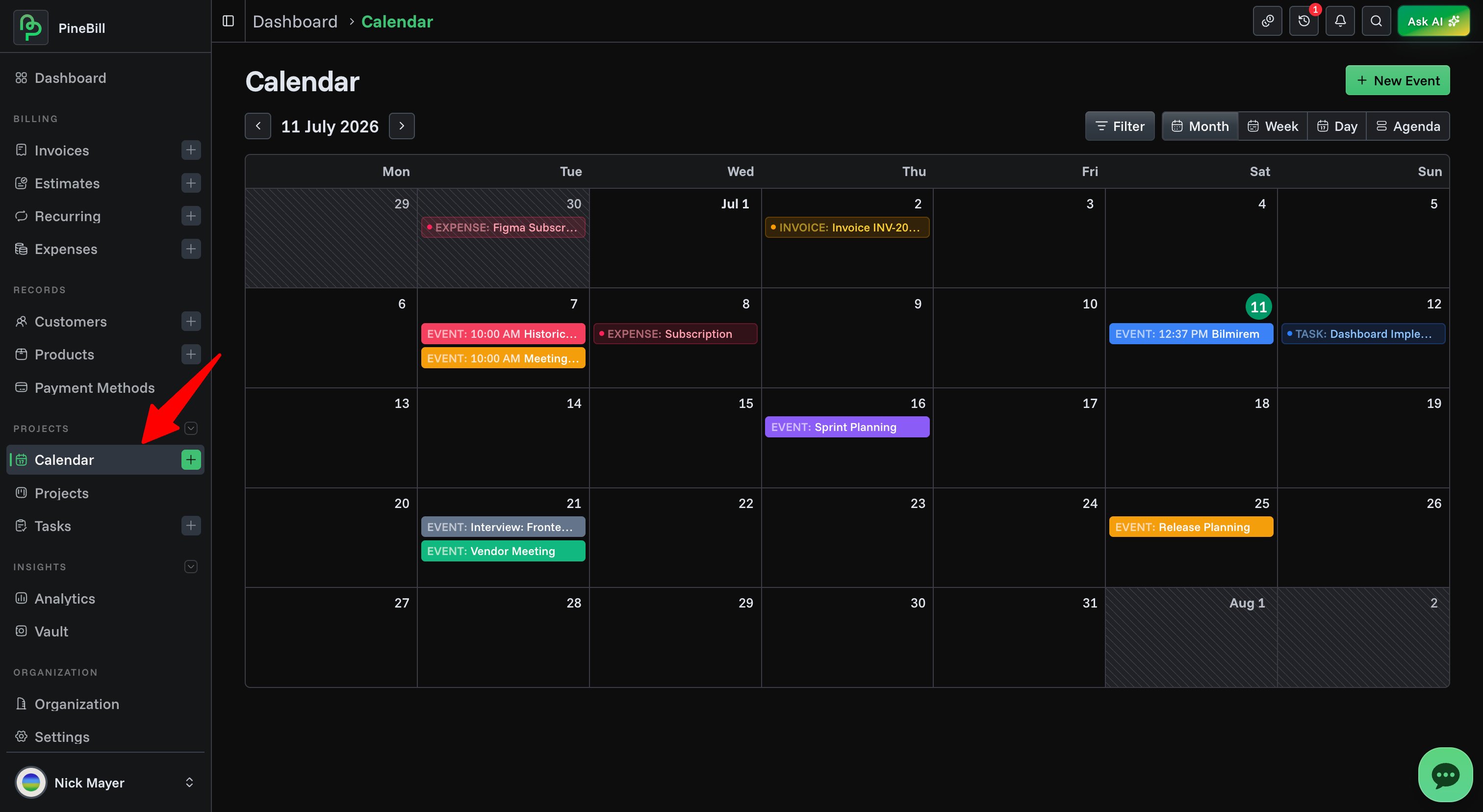
The Calendar brings everything with a date into one view — your own events plus deadlines and records pulled from across PineBill. Create events, drag them to reschedule, and filter by source.
What shows up on the calendar
The calendar overlays five kinds of items, each with its own color:
| Source | Color | What it is | Editable here |
|---|---|---|---|
| Events | Emerald | Events you create on the calendar | Yes |
| Task Deadlines | Blue | Due dates of your tasks | No — opens the task |
| Invoice Due | Amber | Invoice due dates | No — opens the invoice |
| Project Deadlines | Violet | Project deadlines | No — opens the project |
| Expenses | Rose | Expense dates | No — opens the expense |
Only Events are created and edited on the calendar. The other four are read-only reflections of data elsewhere in the app — you can view their details and jump to the source record, but you change them from their own pages.