Organization Settings
Manage company information, branding, billing access, and destructive organization actions.
Quick Start
Organization Settings is the company configuration page for your workspace. You can open it from either of these entry points:
- Organization → Settings
- Settings → Company Settings
Permissions: Only organization owners can edit settings. Members and guests can view but not modify.
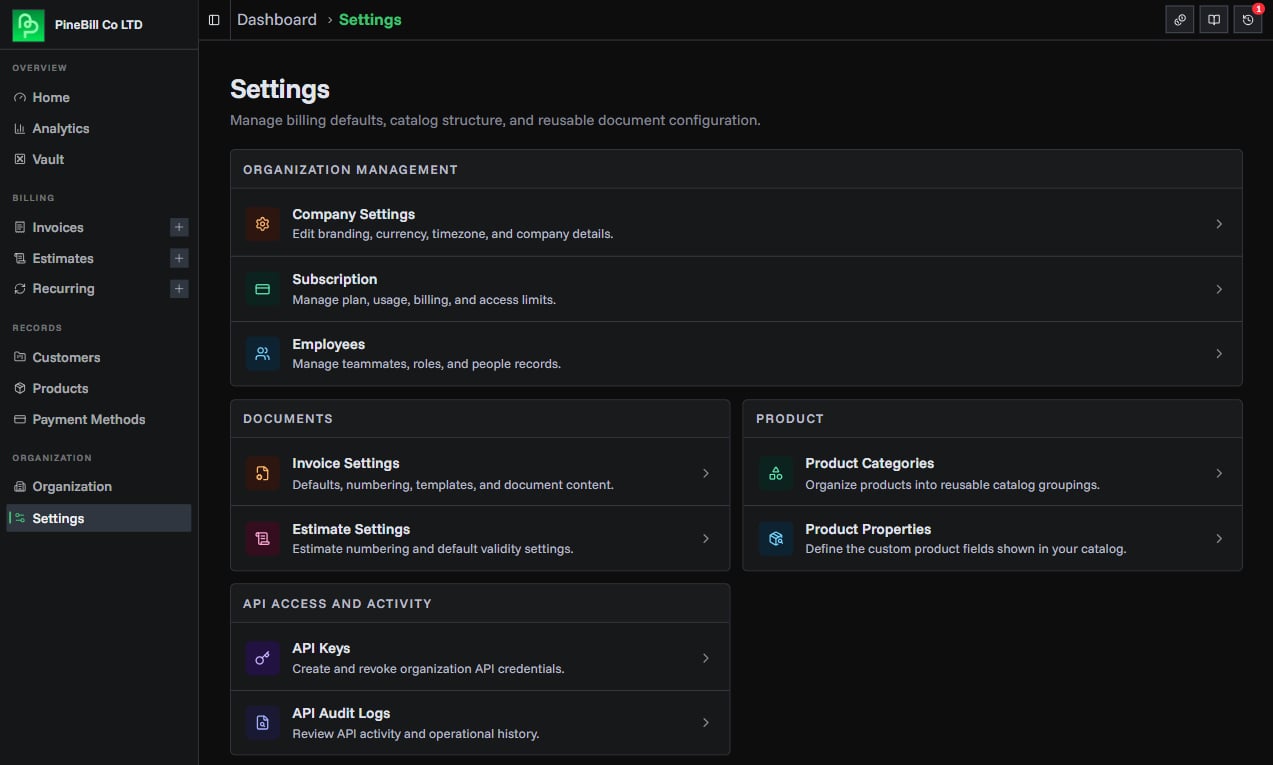
Page Sections
The current page is organized into four main sections:
Company Information
This section contains the editable company profile form:
- Company Name
- Company Email
- Company Phone
- Default Currency
- Timezone
- Company Address
Owners can click Edit Settings to unlock the form. Non-owners see the same information in read-only mode.
Company Logo
The logo section includes:
- A 128×128 preview area
- Upload dropzone with drag-and-drop support
- File picker link
- Delete button when a logo already exists
Subscription & Billing
This section links to Manage Subscription so owners can review plan details, usage, and billing.
If the organization has access to priority support, the same page also shows a Contact Live Support action.
Danger Zone
Owners also see a destructive Delete Organization section. Deleting an organization requires typing delete in the confirmation dialog before the action is enabled.
Editing Company Information
Open Edit Mode
- Open Organization Settings
- In the Company Information card, click Edit Settings
- The form fields become editable
Update Fields
| Field | Required | Max Length | Description |
|---|---|---|---|
| Company Name | No | 255 chars | Business name on invoices |
| Company Email | No | - | Primary business email (must be valid) |
| Company Phone | No | 50 chars | Business phone number (any format) |
| Company Address | No | 500 chars | Full address (multi-line textarea) |
| Default Currency | No | - | Currency for invoices and analytics |
| Timezone | No | - | IANA timezone (e.g., America/New_York) |
Note: The form accepts blank values for optional fields, but if you enter a company name it must be at least 1 character and at most 255 characters.
Save Changes
- Click Save Organization Settings button
- The changes are saved immediately
- The form returns to read-only mode
- A success toast confirms the update
Cancel: Click Cancel to discard unsaved changes and reset the form to the current saved values.
Company Logo
Uploading Logo
- Scroll to "Company Logo" section
- Drag and drop an image file or click browse files
- Select image file
- Upload starts automatically
- Logo appears in preview area
File Requirements:
- Formats: PNG, JPG, JPEG, WebP
- Max size: 2MB
- Recommended: 400x400px square image
Logo Preview
- 128x128px preview shown
- Current logo displays if set
- "No logo" placeholder if not set
- Owners can remove the existing logo with the delete button on the preview
Default Currency
Purpose: Sets the default currency for:
- New invoices
- Analytics calculations
- Product prices
Multi-currency: You can still create invoices in different currencies. This just sets the default.
Subscription & Billing
Current Plan
Displays your active subscription plan:
- Click Manage Subscription to view plan details
- Change plans or update billing information
- View usage and limits
Priority Support
If priority support is available for your plan, the page shows a support card with direct access to live chat.
Click Contact Live Support to open chat from the settings page.
Permission Notes
Owner-Only Actions
Only organization owners can:
- Edit company information
- Upload/delete company logo
- Change default currency
- Update timezone
- Delete the organization
Common Errors
Related Topics
- Organization Overview - View organization details and open Company Settings
- Settings Hub - Open all configuration areas from one page
- Creating Invoices - Company info appears on invoices
- Subscription Plans - Upgrade for more features