Refreshed Dashboard UI, Sidebar, and Settings Hub
A cleaner sidebar, faster create actions, a centralized settings hub, and a redesigned organization overview
PineBill's dashboard navigation has been reorganized to make the app easier to move through day to day. This update focuses on a cleaner sidebar, a central Settings hub, and a more useful Organization overview page.
A cleaner sidebar structure
The dashboard sidebar is now grouped into clearer sections:
- Overview for Home, Analytics, and Vault
- Billing for Invoices, Estimates, and Recurring
- Records for Customers, Products, and Payment Methods
- Organization for Organization and Settings
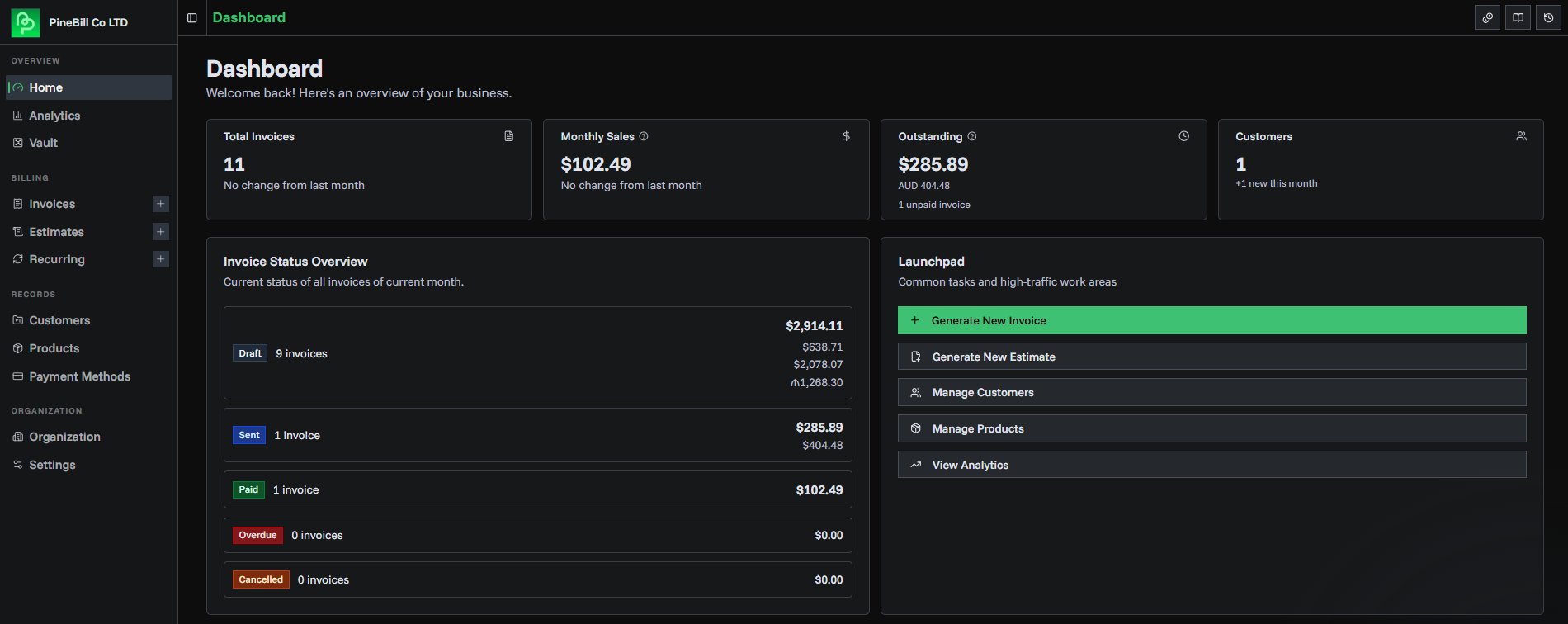
This makes the dashboard feel less crowded and reduces the amount of hunting around for setup pages and secondary tools.
Faster create actions
You can now jump into common creation flows directly from the sidebar.
Invoices, Estimates, and Recurring Invoices include quick plus actions right inside the navigation, so you can start a new document without opening the list page first.
On smaller screens, the sidebar also auto-collapses when entering generator pages so you get more working space while creating invoices and estimates.
New centralized Settings hub
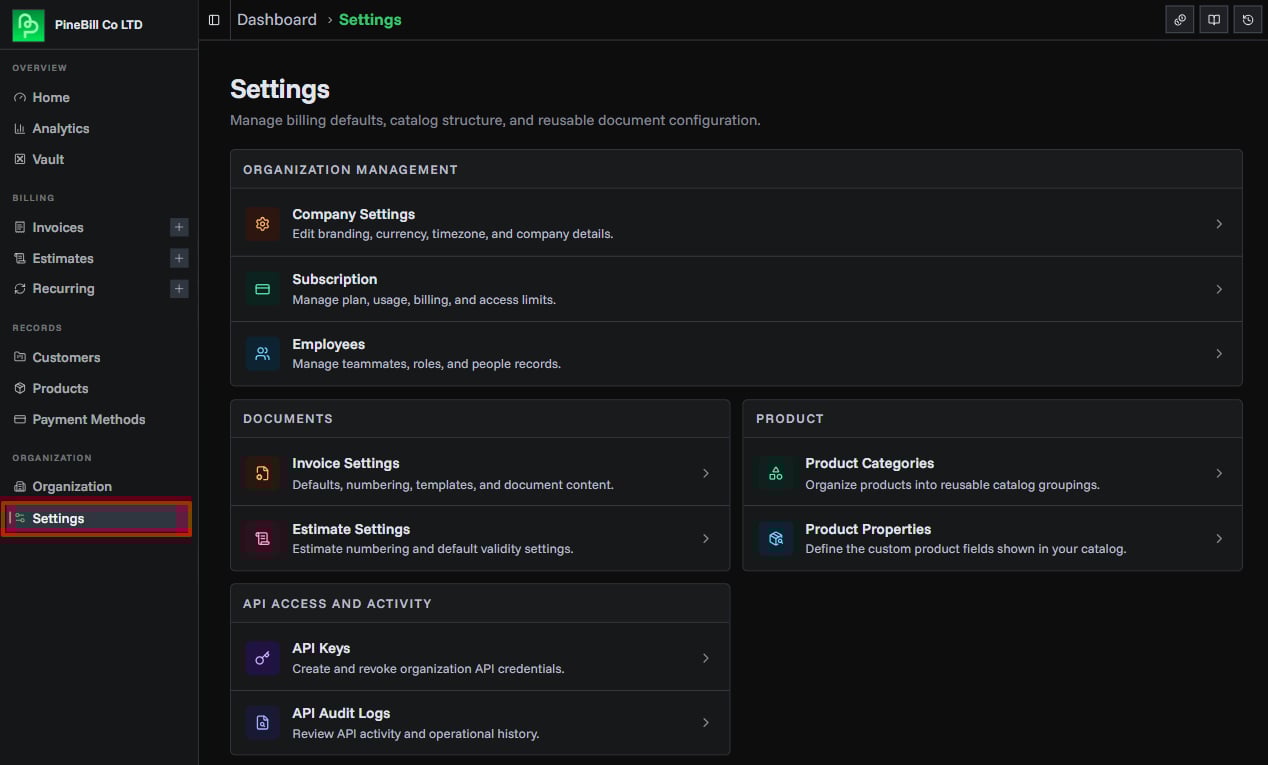
Instead of scattering setup pages across different areas, PineBill now includes a dedicated Settings page that groups configuration into focused sections:
- Organization Management for Company Settings, Subscription, and Employees
- Documents for Invoice Settings and Estimate Settings
- Product for Product Categories and Product Properties
- API Access and Activity for API Keys and API Audit Logs
This gives you one clear place to manage operational settings, billing defaults, product structure, and API access.
Redesigned organization overview
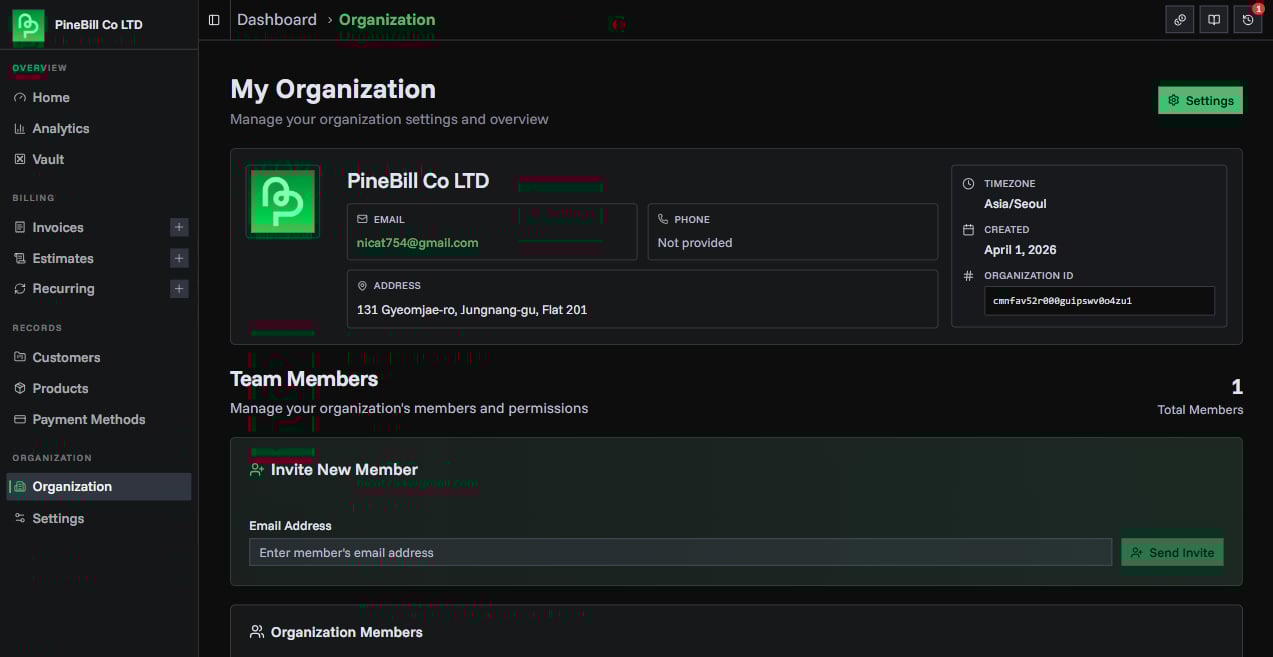
The My Organization page has also been refreshed. It now works as a proper overview screen for your workspace instead of acting like another settings form.
It includes:
- A cleaner company profile card with logo or initials fallback
- Better presentation for company email, phone, address, timezone, and created date
- A dedicated Settings button that leads into Company Settings
- Team member management below the overview for eligible plans
Better route awareness across the dashboard
Navigation now does a better job of understanding where you are.
Breadcrumbs and active states have been updated so pages like Settings, Invoice Settings, Estimate Settings, API Keys, API Logs, Categories, and Properties are surfaced more consistently in the dashboard UI.
That means less confusion when moving between overview pages, setup pages, and deeper configuration screens.