Flexible Currency Formatting for Invoices & Estimates
Choose how amounts appear across new invoices, estimates, recurring invoices, shared pages, and customer emails
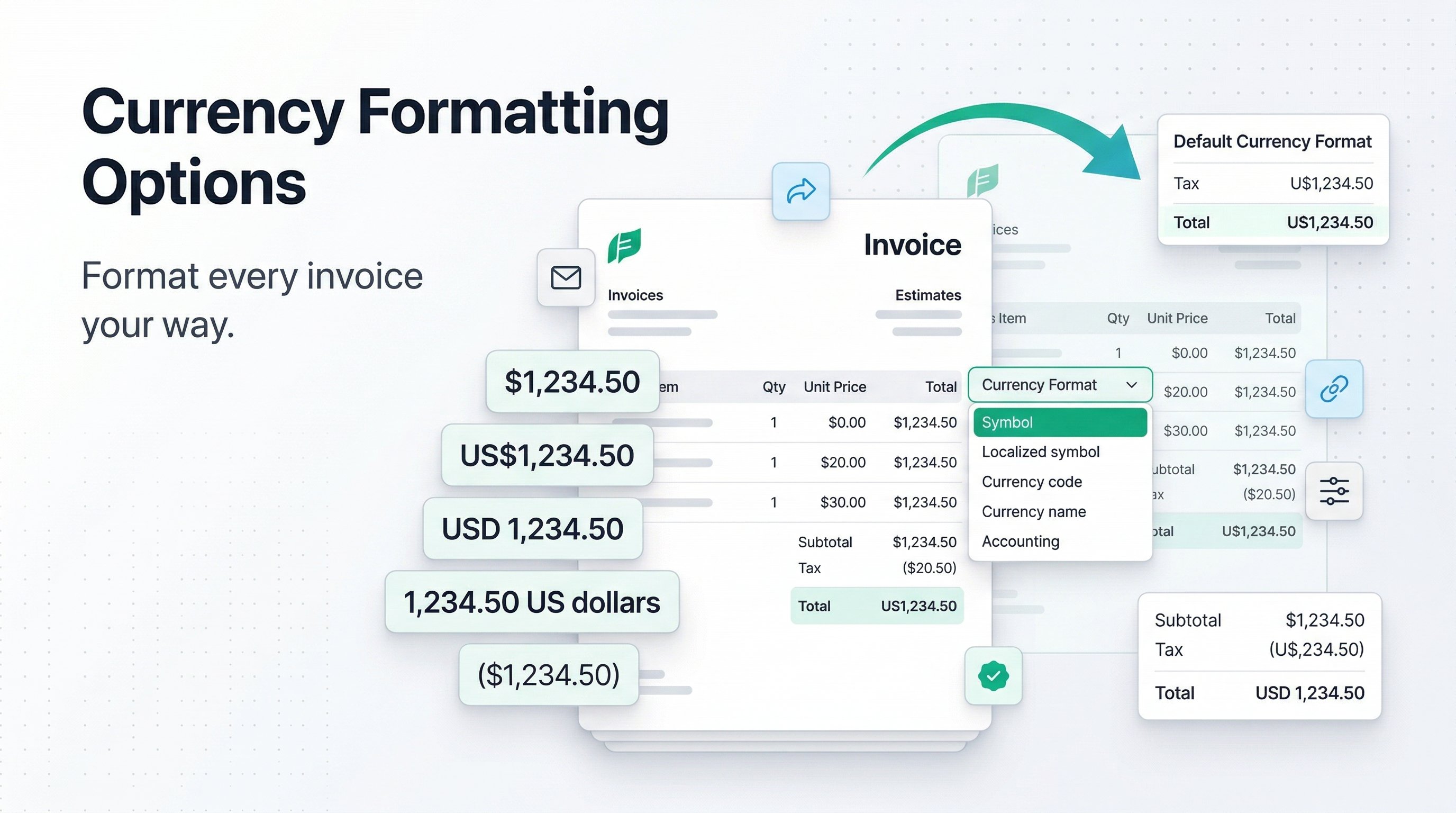
You can now control how currency values are displayed in PineBill instead of being locked to a single money format.
Choose the format that fits your business
PineBill now supports five currency display styles:
| Format | Example |
|---|---|
| Symbol | $1,234.50 |
| Localized symbol | US$1,234.50 |
| Currency code | USD 1,234.50 |
| Currency name | 1,234.50 US dollars |
| Accounting | ($1,234.50) |
This gives you more flexibility for local invoicing, international customers, and accounting-friendly exports.
Set a default for new invoices
Invoice Settings now include a Default Currency Format option. Once set, every new invoice starts with your preferred display style already selected.
That makes it easier to keep your documents consistent across your organization without reapplying the same formatting choice every time.
Override formatting per document
Currency formatting can also be chosen directly while creating or editing invoices and estimates. That format is saved with the document itself, so it stays attached to that invoice or estimate instead of falling back to a generic organization-wide display.
This is especially useful when one customer expects USD 1,234.50 while another prefers $1,234.50 or an accounting-style presentation.
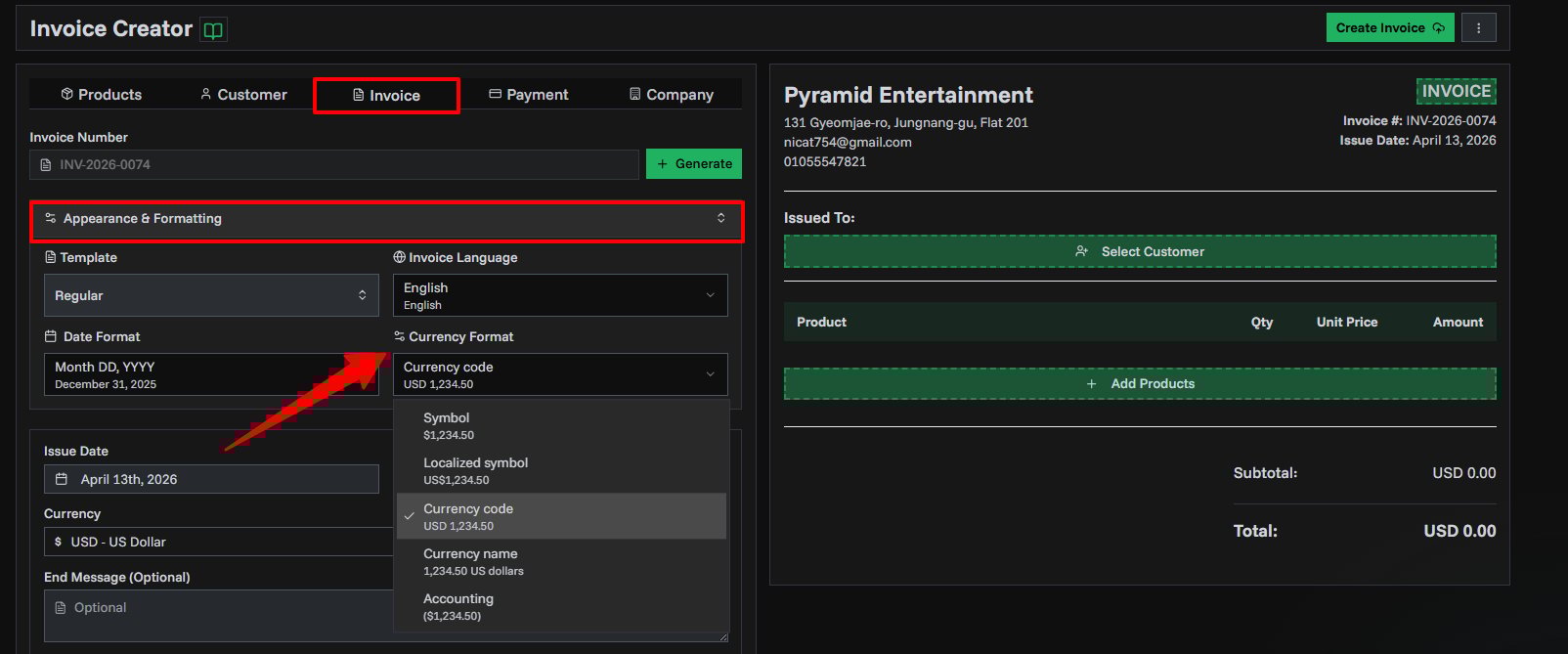
Consistent everywhere customers see it
The selected currency format now carries through across more of PineBill:
- Invoice and estimate previews
- Invoice and estimate detail pages
- Recurring invoice views
- Shared invoice and estimate pages
- Invoice and estimate emails
Totals, taxes, shipping, discounts, and document amounts now use the same document-specific formatting more consistently across these views.