What Is a Remittance Address?
Even in 2025, with digital payments on the rise, checks still account for 26% of B2B payments according to the 2025 AFP Digital Payments Survey. That's why every business owner needs to understand the remittance address—your dedicated spot for receiving those paper payments.
Misplacing a check or mixing it with regular mail can delay cash flow by days or weeks. This guide breaks down what a remittance address is, how to use it on invoices, and actionable steps to set one up.
What Is a Remittance Address?
A remittance address, also known as a remit-to address or remit address, means the exact location where customers send payments like checks or money orders to settle your invoices.
Think of it as your payment-only mailbox. Businesses often use a PO Box, lockbox service, or bank processing center. It ensures payments arrive directly to accounts receivable teams or automated systems, not your front desk.
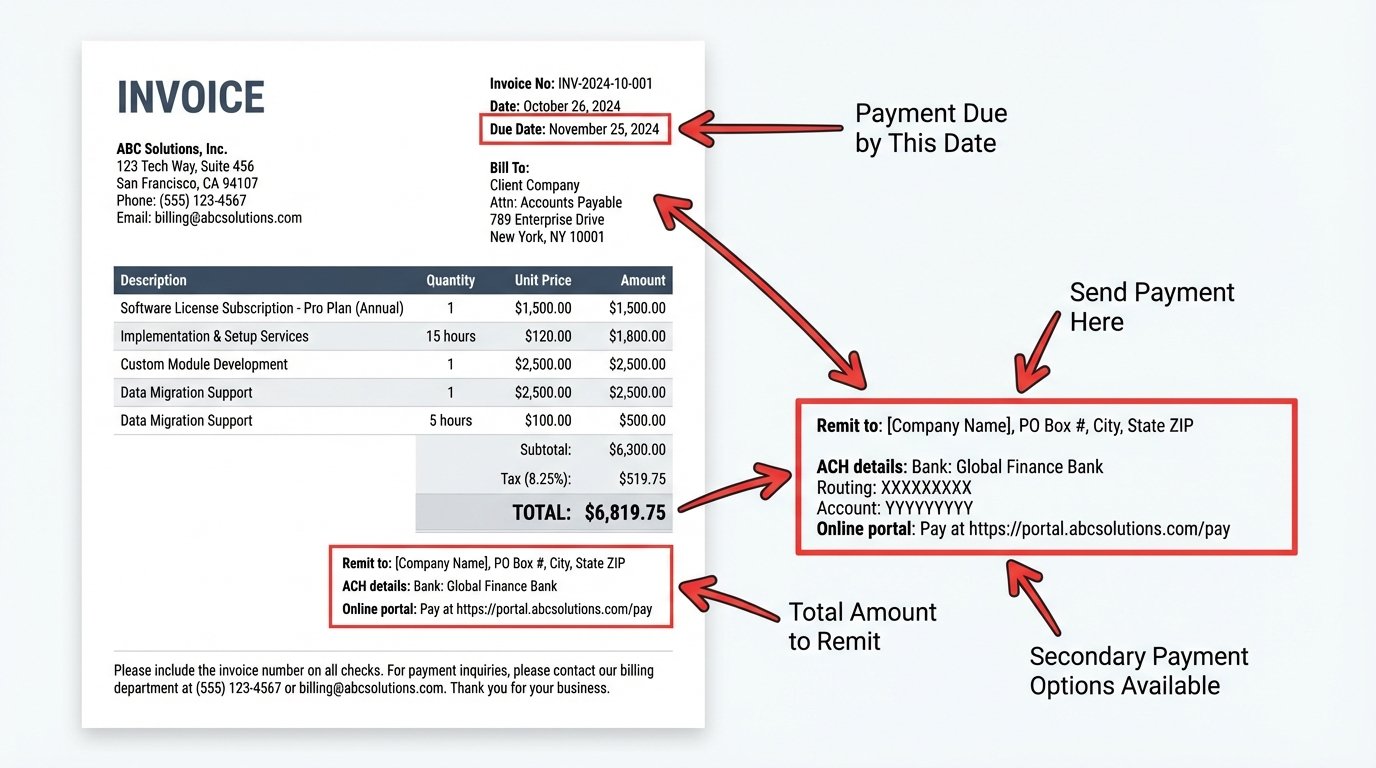
Remittance Address vs. Mailing Address: Key Differences
Don't confuse these—using the wrong one slows everything down.
| Aspect | Remittance Address | Mailing Address |
|---|---|---|
| Purpose | Payments (checks, money orders) | General mail, packages, correspondence |
| Typical Location | PO Box, lockbox, bank center | Business office or home |
| On Invoice | Labeled "Remit to:" or "Payments to:" | Under company header |
| Processing | Fast deposit by AR team/bank | Manual sorting, potential delays |
| Security | High (separated from other mail) | Lower (mixed with junk mail) |
Separate addresses prevent lost checks and speed up reconciliation. In fact, organized remittance handling can cut payment processing time by up to 50%.
Why Your Business Needs a Remittance Address

- Streamlines Cash Flow: Payments go straight to the right department.
- Reduces Errors: Clear instructions mean fewer misapplied payments.
- Enhances Security: PO Boxes keep checks safe from theft.
- Professional Image: Shows customers you handle payments efficiently.
With 26% of B2B payments still via check (down from 33% in 2022), ignoring this leaves money on the table.
How to Include a Remittance Address on Your Invoices
Place it prominently—customers skim invoices.
Best Placement
- Footer: Next to payment terms.
- Separate Box: Label "Make checks payable to: [Your Company]" followed by the address.
- Digital Tie-In: Pair with ACH/wire details.
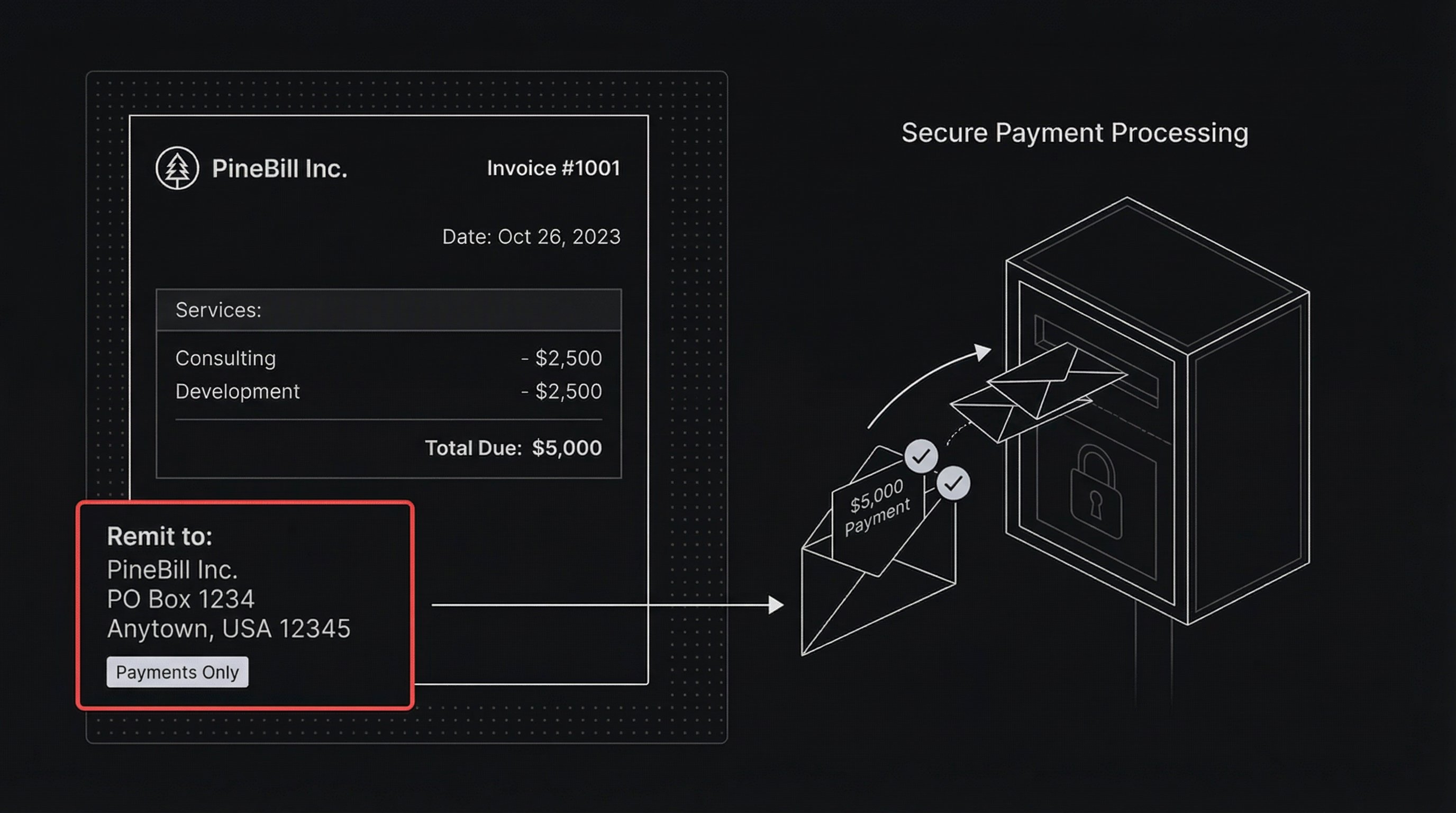
Example Invoice Snippet:
Remit to:
PineBill Inc.
PO Box 1234
Anytown, USA 12345

Or pay online via PineBill portal.
In PineBill, customize invoice templates to auto-insert your remittance address for every client.
Step-by-Step: Setting Up Your Remittance Address
Choose Your Address Type
Decide on:
- Business street address (simple but risky).
- USPS PO Box ($20-100/year).
- Bank lockbox (for high volume, $50+/month).
Verify and Register
- Get a PO Box at USPS.com.
- For lockbox, contact your bank.
- Update accounting software (like PineBill) with the details.
Test and Communicate
Send a test invoice to yourself. Notify clients via email: "Update your records—new remittance address effective [date]."
Monitor and Update
Track incoming payments. Refresh address in templates annually.
Best Practices for Remittance Addresses in 2025
- Label Clearly: Always use "Remit to:" to avoid confusion with billing address.
- Include Contact Info: Add AR email/phone for questions.
- Combine with Digital: List ACH details alongside—PineBill makes switching seamless.
- International Considerations: For global clients, use local processing centers compliant with Reg E remittance rules.
- Update Proactively: Sync with CRM/invoicing tools to prevent outdated info.
| Payment Method | Remittance Needed? | Speed Gain with Proper Setup |
|---|---|---|
| Checks | Yes | 3-5 days faster |
| ACH/Wire | No | N/A |
| Credit Card | No | N/A |
Transition to Digital Payments with PineBill
While remittance addresses handle checks, accelerate to 100% digital. PineBill offers one-click invoicing, automated reminders, and integrated payments—reducing check reliance entirely.
Sign up today to customize templates with your remittance details while promoting faster options like ACH.
Key Takeaways
- A remittance address directs check payments to a secure, efficient location.
- Separate it from your mailing address to avoid delays.
- Include it clearly on every invoice footer.
- Use PO Boxes or lockboxes for best results.
- Pair with digital tools like PineBill for future-proof invoicing.
- Checks are 26% of B2B payments—don't ignore them.